Every day we offer FREE licensed software you’d have to buy otherwise.

$5
EXPIRED
Game Giveaway of the day — Splotches
Splotches is a colorful, splattery puzzle game littered with paint and explosions. Spread and mix colors to make brownsplosions on your way to destroying the Rainbow Orb.
$5
EXPIRED
User rating:
182
26 comments
Splotches was available as a giveaway on December 1, 2012!
Today Giveaway of the Day

Collect berries in the basket and enjoy an exciting gaming experience.
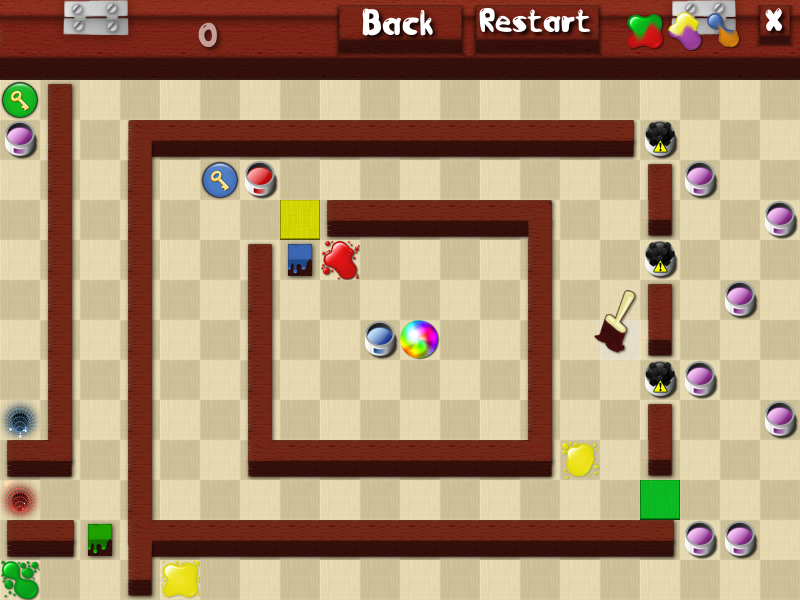
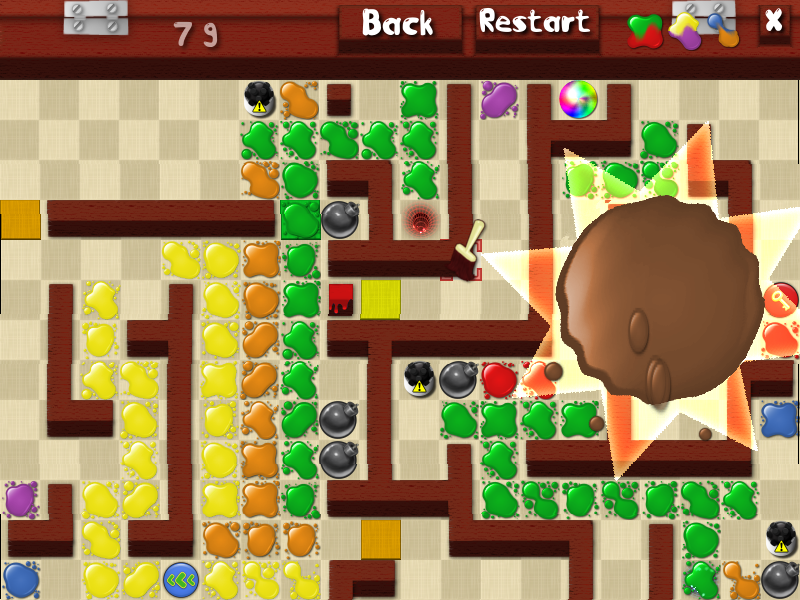
Make a mess! Splotches is a colorful, splattery puzzle game littered with paint and explosions. Spread and mix colors to make brownsplosions on your way to destroying the Rainbow Orb. Get past locked walls, teleporters, conveyors, mines and more as you solve tricky challenges. Play easy levels, play hard levels, or make your own levels! Just be sure to bring some goggles and gloves.
System Requirements:
Windows PC, DirectX 9, a 1Ghz processor, 512MB RAM, and a mouse
Publisher:
Xing InteractiveHomepage:
http://splotchesgame.com/File Size:
46.1 MB
Price:
$5
How would you improve Splotches?
GIVEAWAY download basket

Developed by Overwolf

Developed by BeamNG

Play Facebook games in your browser without logging in.

A simulation game about the life of a truck driver.
Comments on Splotches
Thank you for voting!
Please add a comment explaining the reason behind your vote.
Please add a comment explaining the reason behind your vote.
iPhone app giveaways »

Sort colors in different tubes (water sort) in this fun puzzle game for watch and phone.
$0.99 ➞ free today

Carta is a fast, offline menu builder for restaurants, cafés, bars, bistros, and any venue serving food.
$4.99 ➞ free today

$1.99 ➞ free today

$1.99 ➞ free today

Simple to use, but powerful enough to handle all your needs, designed specifically for iPhone and iPad.
$1.99 ➞ free today
Android app giveaways »

Defense RPG is to train heroes, towers and pets to defend the Castle against enemies.
$1.59 ➞ free today

Grow Weapon is an idle game where you adventure by collecting various weapons and powerful heroes.
$0.99 ➞ free today

$1.49 ➞ free today

Beautiful transparent Square icon packs in neon colors with lines around them.
$1.49 ➞ free today

$1.49 ➞ free today
it's a little late to post, but i did want to say *i love this game!* and i don't understand why it doesn't have more thumbs up. i played through the tutorial and then went to the medium levels -- should have heeded your advice, Whiterabbit, and started with the easy levels. the first two medium levels took at least 20 tries each to get through. i've played the next three levels so far, which were much easier. the game requires a lot of planning and problem solving, so i try out some solutions to piece together the entire sequence. the last level i played, i think i'm finally "getting it," so i planned my moves working backwards from the end and played through on the first try without a hitch.
shaky trackpad input, which i think is unavoidable by its nature, caused many unintended splotches, brownsplosions, and complete nuclear wipeouts. thank you so much to Jolly Crouton Media for explaining how to use the keyboard. it's made a world of difference, and i just raced through the last level (in the middle of work -- i had to try it out immediately).
thanks to JCM -- especially for putting in an appearance and making a hugely helpful suggestion -- GGOTD, and Whiterabbit!
(system info: acer aspire one d250, winxp home sp3, 2gb ram, 1.6ghz, 1024×600 resolution)
......................Moderator comment......................
Thanks for your feedback tinyearl. I think many voted it down because it doesn't look new graphically. I think we are spoiled rotten with the games available today; either via free sites, cheap bundles (for exanple the THQ bunmdle from last November where you could get all of THQ's recent games for less than $6 (over $400 worth), also sales virtually every day of the year etc. You can pick up some amazing games for virtually nothing by visiting the various sites posted in the game discussion forum
Save | Cancel
Sacha, are your video drivers and DirectX up to date?
Save | Cancel
good games but have problem :
Windows PC, DirectX 9, a 1Ghz processor, 512MB RAM, and a mouse
is not sufficient you need more graphical or other.
i have on the same computer 2 OS (WinXP and 7) on full compatibility driver, have dual corp processor at 2GHz(1.60Ghz real)Nvidia GeForce 3D accelerator (chip-set) at 2Ghz(1.50Ghz in clamp) and 2Ghz of RAM.
i test this game in 2 OS and same problem on graphical :
the 1,2 and 3 is in windows mode and 4,5 and 6 is for full-screen,
he just extend the windows.
Direct Links:
http://www.picdepict.com/images/14032285582616036064.jpg
http://www.picdepict.com/images/76090311237506624472.jpg
http://www.picdepict.com/images/35904481722801083664.jpg
http://www.picdepict.com/images/35958981858927462035.jpg
http://www.picdepict.com/images/68781319005577939204.jpg
http://www.picdepict.com/images/15152866345071865954.jpg
Why my dont appear ?
.........................Moderator comment...........................
Hi Sacha, you have to add the correct coding, which I've done for you. :)
Save | Cancel
good games but have problem :
Windows PC, DirectX 9, a 1Ghz processor, 512MB RAM, and a mouse
is not sufficient you need more graphical or other.
i have on the same computer 2 OS (WinXP and 7) on full compatibility driver, have dual corp processor at 2GHz(1.60Ghz real)Nvidia GeForce 3D accelerator (chip-set) at 2Ghz(1.50Ghz in clamp) and 2Ghz of RAM.
i test this game in 2 OS and same problem on graphical :
the 1,2 and 3 is in windows mode and 4,5 and 6 is for full-screen,
he just extend the windows.
Direct Links:
........................Moderator Comment.................
Hi Sacha, if you choose the link from the bottom of the five links it will show the actual image rather than just the link. I've added the appropriate coding s that you can see the images. much better than having to click on each link; plus if the developer visits again, he will see the problems much easier. :)
Save | Cancel
Not clear why this game isn't scoring higher. It's certainly idiosyncratic, but that can just be another way of saying different. I have no idea why beergas thinks the game is of Russian origin. The company claims to be from that decidedly foreign city of Cincinnati, Ohio, which is incidentally about 100 miles North of me. And, if there's a Russian name on the credits page, I'm afraid it escaped me. Na zdrovie, or I'll drink to that! Lol. (Actually, more like "to your health".) In fact, this developer(s) strikes me as particularly responsive, appearing not only today, but last time it was given away. Just as an example of that, they responded to complaints of not having a way to kill the music from last time and added volume controls. The music has just a touch of circus silliness to it, and the look borders on resembling cheaper games, but the music seems reasonable and the look has a charm of it's own. One tip from somebody who's studied film music and even mixed music on a feature length video: music is best when it blends in naturally and doesn't call too much attention to itself. This can be frustrating for the composer, but it's often a tightrope worth walking.
I can see where having to move the brush carefully might detract from the pure puzzle aspect of the game, however. But that's clearly intentional. After all, when you're painting the house, you need to keep the paint from getting on the wrong surface, lol. And since the developer's built in the option of using keys instead, that isn't an insurmountable problem.
I would agree with socks about a help file, so when you pick it up after awhile you can get back into it without necessarily going back through the tutorials. Also, maybe it's just me, but the nasty habit of the tutorial stopping you from dragging when it doesn't like what your doing and pointing you back to instructions you've already read, can cause people to quit. Fortunately, I was just patient enough to persevere. Really, you should let people learn by their mistakes in the tutorials or give clearer instructions.
Really, I feel the voting probably reflects the fact that some of our users will vote a game down without trying it, just because it's not the type they want. I agree with a poster from the last giveaway that this game is worth at least double what's being charged. A winning puzzle.
Finally, to the person lamenting the lack of mac games, that Free Stuff Times link has an awful lot of ipad, iphone apps right out front. And here's some more from a respected freeware review site:
http://www.techsupportalert.com/best-free-ipad-apps.htm
http://www.techsupportalert.com/content/best-free-software-mac-os.htm
......................Moderator Comment.......................
Thank you for your feedback Watcher. It's a pity I've not been myself this weekend, especially with the developer visitng. Also sad that we've had far fewer comments about this game. It seems to me that the majority of the community want HOG's, Match 3's and TM games instead of something different like todays game.
Hopefully the developer will take something from todays comments.
Save | Cancel
Good game, but it would nice to have a reminder help file to show the instructions without having to go through all the tutorials a second or third time. A quick refresher would make a big difference.
Save | Cancel
Nice game - had it before, but it disapeared! Glad to have it back! Our monitor gives links to game - so will help him out - Free Stuff Times - Iphone games and some pc games for free! Time seistive!
http://www.freestufftimes.com/category/software
They had a plants vs zomies free game from popcap that still may be valid - code on web page! Thanks gotd and Jolly Crouton Media
Save | Cancel
I'm in the process of downloading this game now, so haven't played it yet. I just wanted to say I hope you're feeling better very soon Stephen.
Save | Cancel
downloaded this game and my granddaughter gave it a try, she said boring; thank you for the effort giveaway and developer.
Save | Cancel
Hi everybody! I'm the developer of Splotches. Thanks for your feedback so far! I hope you're enjoying the game.
It seems the mouse controls might be causing a little bit of trouble for a few people! Testers wanted a switch to dragging from the more precise click-based controls. If you want, you can control the game using the arrow keys to move the brush and the Ctrl key to spread.
Beergas, if you use the arrow buttons next to the level lists, you can find more levels in each difficulty. Sorry if that wasn't clear!
Plans for an iPad remake are underway, which will have a redesigned tutorial, UI, and precise touchscreen controls. :)
..........................Moderator Comment.....................
Nice one. We rarely get a visit from the developers. Hopefully you will have found the feedback useful. :)
Save | Cancel
Already had this one. It's a good time waster plus it helps kids learn the mix of colours.
Thanks GGOTD and Jolly Crouton Media for the game.
Hope you feel better, Wabbit. Take care please.
Save | Cancel
This is great! Relearning my color combos all over again. Of course, my kids are waaaaayyy ahead of me!! LOL!!
Thank you so much GameGiveAway and Jolly Crouton Media.
Save | Cancel
Edit. Maybe add this to my prior comment. Game seems of Russian origin. I used Revo Uninstaller which first tries game's uninstaller if has one (as it does). Here Revo did that but then showed a whole mess of extra links to be deleted. Now maybe the game's uninstaller deletes those at once or upon reboot, but why take chances of loading up surplus registry items.
Save | Cancel
appreciate all your thoughtful and thorough reviews. bummer to be ill during the holiday season. be well soon.
Save | Cancel
Pk Win 8 x64 Pro. Full screen is that & then some or windowed but no stretching it. Sliders for M&S. Tutorials. I guess the spillover effect that can occur sometimes when dragging the color but guess that's part of the 'fun'. Did tutor and 1 play level on Easy. Looks like maybe just 4 games per level setting. So 4 at Easy then 4 again at easy of 4 play levels? At least it has its own uninstaller along with the icon it makes. Would have to be a real fan of making levels with the editor. 5/10 and fans maybe 8/10.
Save | Cancel
The error message is "Failed to launch the program", the header of this window was "Giveaway of the day". This was my second download of the program because I assumed a problem with the download, but the filesize is the same and the result too. I also deactivated my antivirus software, but no change happend.
Funny, that I am the only one with this problem.
Regards
Rainer
......................Moderator Comment.................
sorry it took so long to get back to you. If you are using Firefox make sure I.E. isn't set to off line. Also clear out your internet cache and try again. If neither of those work check the FAQ's I've posted over in the stickies section of the game Discussion forums.
Save | Cancel
Feel better soon, Stephen. Thanks for taking the time to put all that information together.
Save | Cancel
I have had a MacBook Pro for several years now and am not able to use the games on this site anymore. Wish you had games for my computer. Or can you make a suggestion as to where to go to get free games like you offer. When I had my old computer, I really like the games every week. Thanks
Save | Cancel
Had this the first time it was given away and really enjoyed it. Sadly had to reformat my setup a few months back and lost it as a result - so REALLY pleased to see it back as it provided many hours of entertainment.
Just installed and run without any issue on my W7x64 setup. Here's to many more hours playing it. Thankyou again GGoTD.
Save | Cancel
Good day stephen-hope you feel better quickly-kinda different game today,but challenging in places.Only improvements other than importing your own music would be to tighten-up the mouse control (a little sloppy as it is)but I guess that adds to the difficulty.Thanks GGOTD & JOLLY CROUTON for a nice diversion.
Save | Cancel
Sorry, I really wanted to be supportive and like this game, as it looks like a small independent developer, but I just found it to be tiresome and can't really make any suggestions for improvement other than, 'try again, better luck next time'. But maybe that's just me....
Save | Cancel
I tried it twice to install, but installation was not possible for me, got always an error message.
........................Moderator Comment.........................
Hello Rainer, what was the error message? Perhaps I or someone from the community can help?
Save | Cancel
Hope you feel better soon Stephen. Enjoy all your input into these games and miss you when you are not here. Take Care.
........................Moderator Comment.........................
Thank you Soft Myst. Much appreciated.
Save | Cancel
Sadly i cant play this on my phone...
Save | Cancel
This is a nice puzzle game that can be quite challenging. The UI is pretty good. Fun colours as can be expected from such a paint themed game. Haven't played much. Just one thing I would change about it is make it more obvious about getting to the main menu to select the modes. I realised you needed to press the back arrow next to the items. There's just this annoying thing when you turn corners, and paint splashed in another direction that you gotta be careful of.
........................Moderator Comment.........................
Thank you for your feedback Nathan
Save | Cancel
Splotches was originally given away over two years ago (Aug 2010) where it received a positive 58% of 401 votes. There were 45 comments which can be read HERE.
Splotches:The following review was originally posted when the game was last given away. I'm too ill to post a new review today. I'll try and moderate as often as possible, but I doubt I'll be around as often as I usually am.
My usual additional games section will be missing today; however do check Steam (Unreal Tournament franchise and Endless Space), Gamersgate and the Game Discussion forums for various deals. Gamesgate have a sale on at the moment with some excellent bargains (daily deals include 75% off Hitman 2, Tom Clancy's Splinter Cell Conviction, Homefront and Aliens v Predator plus several holiday bundles). There are yet more bundles available, for example the Humble THQ bundle which includes seven AAA games that can be had for less than $6 (The Company of Heroes trilogy, Red Faction Armageddon, Metro 2033, Darksiders and Saints Row the Third), there's also a new Indie Gala bundle available You can get all games for less than $4 the lot (Star Wolves 3, Imperial Glory, Men of War, Men of War: Red Tide, Cryostasis, Necrovision: Lost Company, Kings Bounty and XIII Century Gold plus two more to come). Details of these can be found HERE in the Game discussion forums.
Also check out the didimatic site for other deals from Gamestop and GOG HERE, plus for deals on Indie games go to Desura and click on the on sale or Alpha funding tabs for some excellent bargains, finally you'll also find great sale bargains on Gamefly and GreenMan Gaming
Installation
Today's game is a 46.1 MB download that unpacks to two files, a read me and a dual activation and set up module. The installed game is 36.3Mb. Shortcuts are installed to the desktop and the Start/Programs menu, plus there’s also an uninstaller which is accessible from the start menu.
Introduction/u>:
Reference accessed HERE
28th August 2010
Reference http://www.indiepubgames.com/game/Splotches accessed 28th Aug 2020
The Game:
The goal of the game is to destroy orbs, and other items by combining specific colors to create brownsplosions (explosions) near the object to be destroyed. Creating the wrong combination can result in black splotches that will impede your progress and lower your level scores. Once you’ve completed the level a window appears with the level stats that includes your score, any black splotches you’ve made, which give a negative score as well as the number of moves you made. The smaller the number of moves the more points you score.
The game starts up in a window. To get to the main menu click on the play button from the intro screen. You’ll find the screen mode button to the bottom right of the main menu. The main menu is rather different from the usual main menu with the different difficulty levels being shown where you normally get a main menu. There are four categories; 9 tutorial levels, 21 easy levels, 26 medium levels and 11 hard levels, making a total of 67 puzzles. This seems rather a small number of puzzles for a full version game; however there is a levels editor that the developer calls a spluzzle maker, that enables you to make as many custom made levels as your imagination will allow. At this time there is no facility on the developers site to access other peoples custom levels, but if this game takes off I’m sure that will become an option (hint to the developer) :)
Along the bottom of the main menu you’ll find several buttons that give access to the title screen, a color chart which shows you the various color combinations you can make.
There are four sections covered which include the following:
• Mixing Primary colors
• Brownsplosions
• Ingredients covered
• Black splotches
To win levels you have to combine primary colors to create mixes that are then mixed with a specific primary color (which is dependent on the secondary color you’ve created) to create brownsplosions. Mixing the wrong color combination will result in a black splotch which will take away points. Black splotches cannot be removed and can cause obstructions. If you get stuck you can restart the level, and you can replay any level you wish to improve your score. (:
There’s also a button for changing the volume, though there is no separate button for effects and music and a button to access the levels editor (spluzzle maker). The spluzzle maker is relatively easy to use with an inventory button that gives access to all in game items such as bombs, mines, color plates that only allow the color specific to the plate to pass, teleporters, locks, keys and conveyors, that move splotches around automatically. Beware of these as you can end up in a trapped loop if you don’t select the correct conveyor, as well as the primary and secondary colors.
To save a custom made level click on options. A drop down menu will appear that enables you to set the difficulty, name the level as well as save or load to test it. At first glance the level editor looks a little confusing; as does the game play; however, once you’ve played through the tutorial levels the game and levels editor inventory will make more sense.
Video:
You can see several videos of Splotches HERE, HERE, HERE (Tutorial Video), HERE and HERE
HERE
Images:
You can see a slideshow of over 50 images that include tutorial images HERE
Conclusion:
This is a rather entertaining and original take on color mixing and puzzle solving, though initially I found the game rather confusing due to the lack of any read me instructions. however the tutorial did help make things clearer. I'd definitely recommend starting off with the easy levels once you've completed the tutorial levels, then progress to the more difficult levels. by the time you've completed the game you'll easily be able to design more levels for the rest of the family to solve.
I’ve uploaded screen captures of all of the tutorial screens, which you can see via the image link I’ve provided above. The ability to access any of the puzzles is a plus and the colourful look to the game should be appealing to both adults and children, though I do think adult supervision will be required, especially to show how the game works. The harder levels may also be too challenging for all but the brightest of children and adults.
The rules are simple, but the harder levels are quite complex to crack.
It’s definitely a game I’ll be keeping for a rainy day as there’s potential in this game. In my opinion it’s well worth 7.5 out of 10 for originality and family fun (I've revised my original score after spending some time playing this appealing and addictive game.
A useful addition to this game would be access to a upload page where you can upload or download custom made levels. I’d also like to see a read me with clear and concise instructions on all aspects of the game including the levels editor and a rationale for creating the game. Finally a few mini games would improve the overall feel of the game.
Thank you to the developer for sharing this little gem and as always to the game giveaway team for bringing us free games.
The developer has suggested that you post any custom made levels that you create to his Email. i.e.
Please PM me if you have any levels to upload and I’ll PM back his Email. You can access his website:
http://www.jollycrouton.com :idea:
Who knows the developer may even release them as free add-on packs to the main game, with the names of the creators acknowledged. cool! :)
You can download a free splotches screensaver (1.41MB) from the developers web site HERE
Problems:
If you have any problems with the game, either installation issues or getting the game to work check out the FAQ's section over in the Game discussion forums. you can find it HERE
If you are posting requests for help late in the day I would suggest posting in the main giveaway forums in the game Game Discussion . If you’ve installed the game but it won’t work for some reason, it should still be registered, so someone may be able to help at another time. Unfortunately if your problem is actually installing it then once the giveaway period is over there’s nothing that can be done until the game is given away again (though that isn’t guaranteed). It’s always worth checking out the free games sites as sometimes the games we get here are also available for free from them as well.
Request for Help:
Regards
Whiterabbit aka Stephen
Save | Cancel