Every day we offer FREE licensed software you’d have to buy otherwise.

6.95$
EXPIRED
Game Giveaway of the day — King's Smith 2
In King's Smith 2 sequel the amazing journey with Anya continues.
6.95$
EXPIRED
User rating:
251
63 comments
King's Smith 2 was available as a giveaway on March 26, 2011!
Today Giveaway of the Day
Create your own high-quality car and fight with your opponent in a battle.
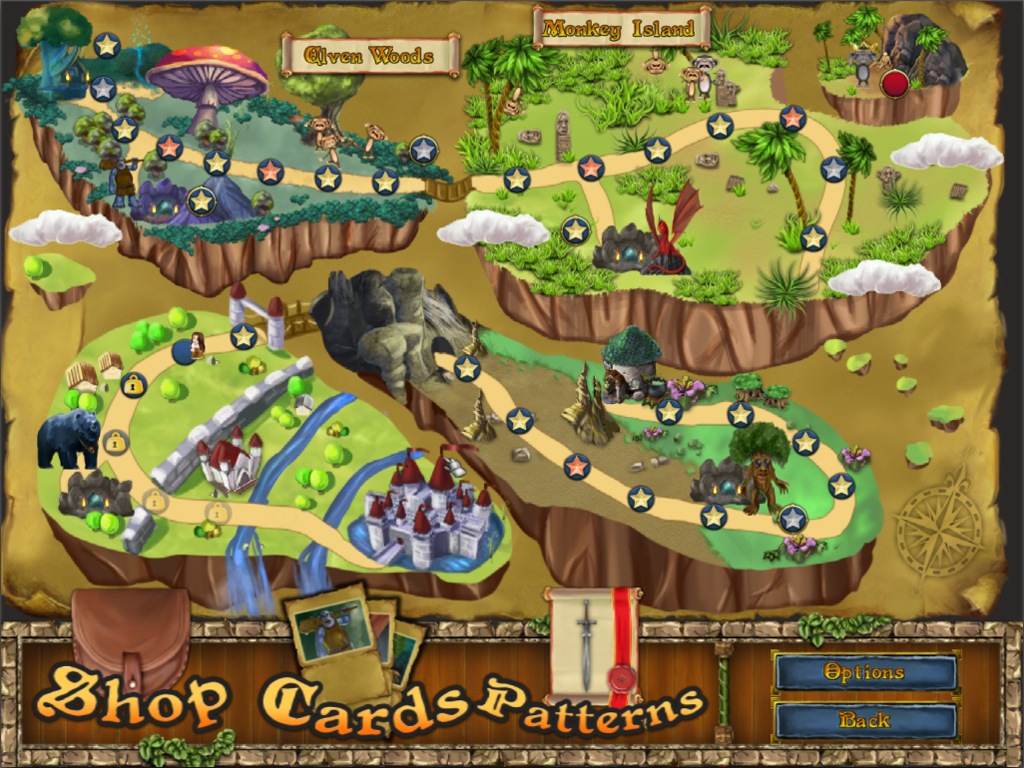
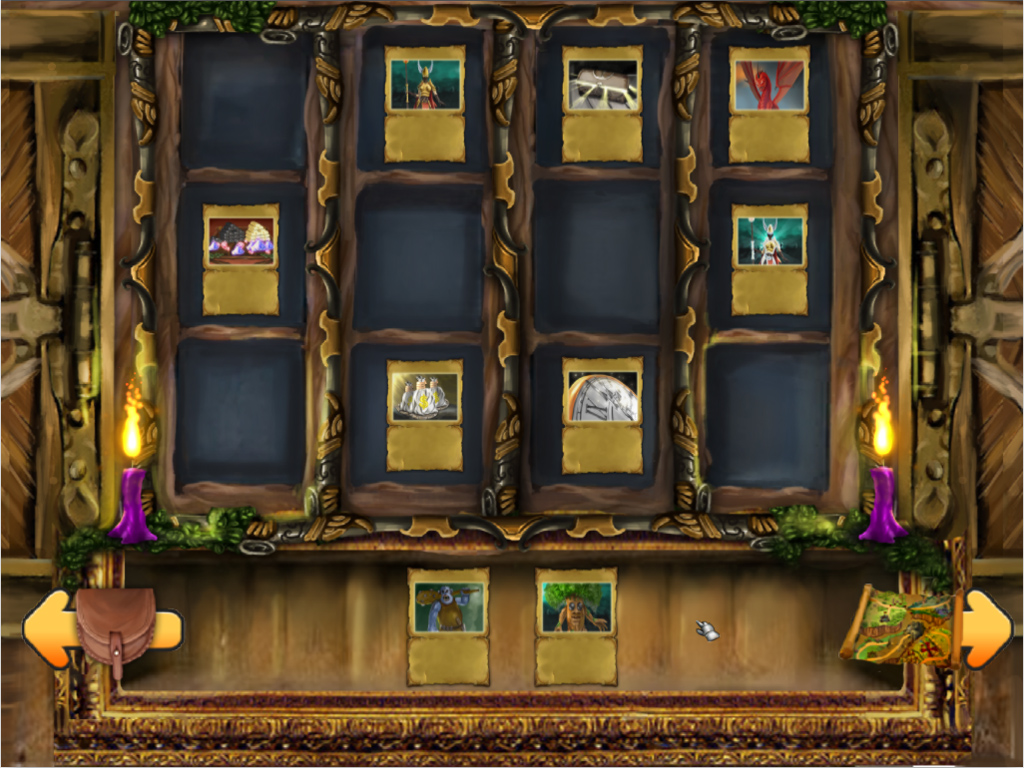
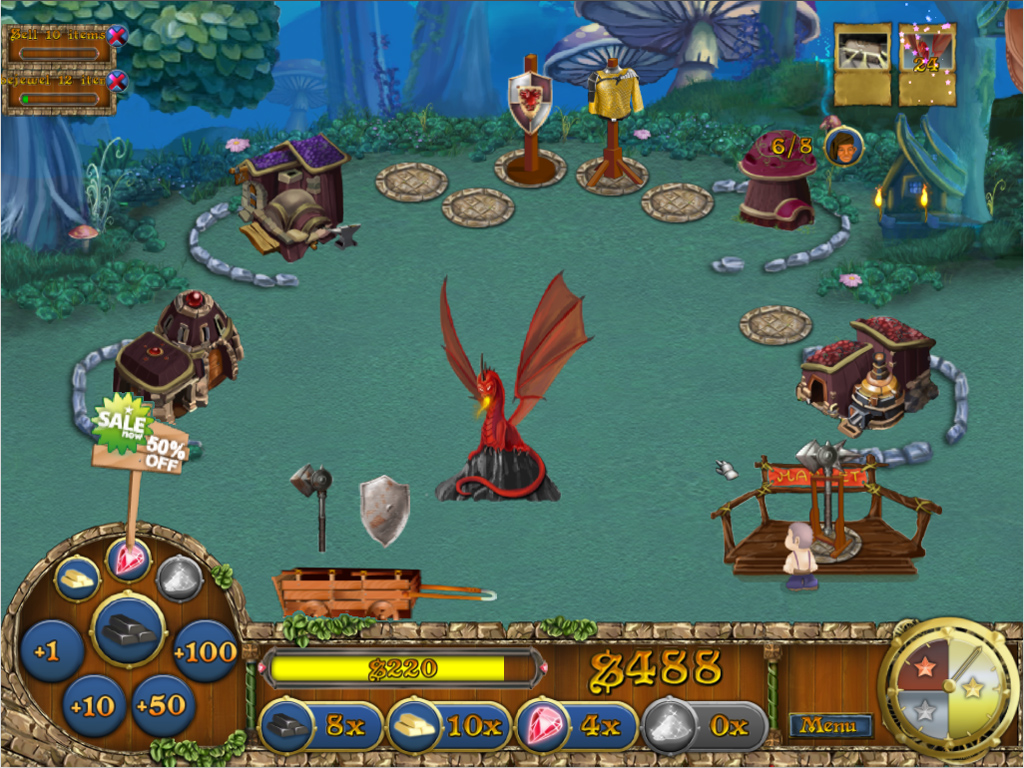
Anya worked incredibly hard to become the King’s Smith, until a sudden betrayal changed everything! Waking up with memory loss, Anya must unravel the mystery behind her kidnapping, and figure out exactly what is going on.
Protect the king as you work your way back up to the royal court in King’s Smith 2! Use your Time Management skills to succeed and help Anya discover the traitor in King’s Smith 2.
System Requirements:
Windows XP/ Vista/ 7; Mac OS Leopard
Publisher:
Xing InteractiveHomepage:
http://www.runningpillow.com/downloadKS2.htmlFile Size:
106 MB
Price:
6.95$
GIVEAWAY download basket

Developed by Electronic Arts

Developed by PopCap Games

A challenging MOBA set in a fantasy world.

Developed by Overwolf
Comments on King's Smith 2
Thank you for voting!
Please add a comment explaining the reason behind your vote.
Please add a comment explaining the reason behind your vote.

You can also add comment viaFacebook

iPhone app giveaways »

$2.99 ➞ free today

$3.99 ➞ free today

$1.99 ➞ free today

Get this special numpad keyboard to enter numbers with ease in any app on your iPhone or iPad.
$0.49 ➞ free today

PDF2JPG is the ultimate solution for converting PDF documents into high-quality JPG images quickly and easily.
$0.99 ➞ free today
Android app giveaways »

The global bass booster and the equalizer enhances the sound quality of your Android device.
$1.99 ➞ free today

Want to get experience and emotion from driving a real city train in the metro simulator?
$0.99 ➞ free today

An alien ship has taken possession of multiple cities on planet earth, deploying countless robots.
$2.99 ➞ free today

If your device has low sound, use Volume Booster and Sound Amplifier to make your device super loud.
$1.99 ➞ free today

$1.99 ➞ free today
I am stuck at the same place as commenter #60. The level with the Master won't let me load the cart. Is this a bug? Does the developer have an answer to this?
I was really enjoying the game up until I ran into this problem. I hope there is a way to resolve it.
Save | Cancel
I realize this is after the fact, but I just wanted to comment on this game which I downloaded last week.
This game is relatively simple but terribly, terribly addicting. I found myself racking up well over six hours of play on it the first night I downloaded it.
From the simple interface of following a path through various little islands, to selling your items to friendly warriors who say, Hallo! Greetings! Hello! And lest we forget the baritone voiced big spender in the black star wars helmet! Classy game by far...
-Jeeem-
....................Moderator comment......................
Thanks for your comment. Love Thailand. I got married in Bangkok and have always wanted to return. :)
Save | Cancel
Monitor change, full screen now off screen to left a little. ~10%
19inch to 24inch
Temp work around windowed mode and lower video card resolution to 1024
would prefer no changing resolution every time I play
Save | Cancel
Awesome game. Another title very similar to Dragonester and Farm Frenzy but equip-able cards offering advantages during a stage, multiple medals awarded per level with gold medals offering rare rewards and an overhead map with some hidden events on it make it original enough to still enjoy if you've sat through the two mentioned.
I tried the Give Away game here and bought it from the developers website the next day (I'm going to have to format my drive eventually). The copy you get from the developer does not need to be installed and is DRM free.
Save | Cancel
I had no problem loading or playing the game until I got to the level with the master, it won't let me load the cart. Everything else on the level works fine. Just can't complete it until I can load the cart, so I'm at a standstill right now.
Save | Cancel
Stephe 'whiterabbit' that was uncalled for- posting that ridiculously huge review
from someone else's site. Next time you can just leave a link to
The external review for the software, and whatever small comment
you have about the game in your own words.
..............................Moderator comment.....................
Apart from the short intro that I referenced all my reviews are written by me and not copied from elsewhere. If you've seen a review that look s like mine you'll probably find it is they who have copied from me. I've found loads of my reviews copied elsewhere and not referenced to me. Before you go accusing someone of plagiarising get your facts right. By the way, what makes you think I copied the review? Have you got a link for the piece of work you say I've copied. I want to see as I'm positive that I'll find that someone else has copied me.
Save | Cancel
So far, in the first few levels, this seems a little on the easy side. But, that said, I like the simple introduction to how the whole thing works, and the 'apprenticeship' offered by the training levels. The graphics seem simple, though not so much that they turn me off - still looks fun for those of us who don't need the latest. I expect to enjoy this game, though I might think of buying it bundled with several games rather than as a stand-alone - maybe this impression will change once I get further along. Thanks for the opportunity to review it, and good luck to the developers.
Save | Cancel
Have played a number of RPG types in the past and not enjoyed them too much but have found this one to be a pleasant surprise. I've only played it through the relaxed mode so far and found the 'help speech bubbles' to be quite useful albeit a little annoying and patronising at times. Still, a game that i think I will keep - thanks very much for this one.
Save | Cancel
started download 2:58 cause i just found it will i be able 2 activate it?
........................Moderator Comment...............................
Not if the 24 hour period has ended. You have to install and activate it within the 24 hour period. Sorry you missed it. I'm sure we will see it again sometime in the furure
Save | Cancel
LOVED the first episode of this game, and I'm looking forward to the second! :)
Save | Cancel
Ok, so I'm wrong about the song in this game. The song "What child is this?" was written after "Greensleeves" by William Chatterton Dix. So the guy ...........removed due to inappropriate language........... stole the music and put his lame lyrics in...thief!
LOL....
......................Moderator comment....................
I've edited your post by removing the inappropriate language. this is a family site. Hope you understand. I've posted the path which shows you where the music files are kept. you will need to use a audio converter to convert whatever you wish to change to the .OGG format. Make sure you re-label the music to the same as the ones you are replacing. I hope this helps. :)
Save | Cancel
Nope, this game is just not for me. Since I don't celebrate the mass of Christ or Christmass for you secular so-called pagan celebrating people, I just couldn't keep listening to "What child is this". Good idea, just poor music period...wow...didn't even think of turning the music off...oh well.
.......................Moderator Comment.........................
Read my review; then you'll see that you can change the music to whatever you wish.
Save | Cancel
"Try disabling the java dll "?? so is this the normal way to install this game?
..........................Moderator Comment................
What I mean is re-label the dll so that it is disabled (by changing the file type to .xxx instead of .dll or move it to a seperate folder; then install the latest version of Java which I believe is 6.24.... Once this is done locate the new dll and replace the older dll (which you've renamed ). It's only a suggestion...... as already said above, once all the probables have been eliminated............ ;-)
Save | Cancel
@36 The music is "Greensleeves".
Installed and ran just fine on my Win7 x64 Home Premium machine. Have only played the first 2 "levels" so far but I can see that this is a keeper for me! Thank you GGaotd and Running Pillow!
Save | Cancel
1. Install fails if you type in path
2. Jre eventually will be outdated and a security exploit.
3. Game Crashed.
4. Game feels delayed.
But, I Have tried the original Kings Quest. The behavior of the swords and moving stuff around is much simpler than the first/original game.
I think this needs more work.
System XP SP3.
Save | Cancel
Loaded the game up on my XP. Loaded fine, which is rare for my PC. I've just spent the past 4 hours playing it! The story narrations are actually kind of funny! I like the humor. It took me a bit to catch on, but that's my fault, not the games instructions! lol! Great game! Thank you for sharing it with us! I would definitely recommend it!
Save | Cancel
As with King's Smith 1 offered some time ago, this one is also buggy.
I'm using XP SP3 and only played until I get the first key.
1. The screen flickers and repeats at the splash screen but managed to get through.
2. The screen flickers 2 times when loading a stage.
3. It lags when clicking to a different screen.
4. At the 1st stage somehow I encounter a bug that when I was working on the first axe, I accidently drag the second axe to the smith and the axe got stuck there and I have to go back main menu and restart the game.
5. This is it. The game crashes and close after I get the first key and clicking the additional cave stage.
......................Moderator Comment..................
There are over 10 thousand copies of this downloaded today. If the game was buggy we would be getting far more complaints. It's probably something to do with the way you have your computer set up, or a program that you may have installed that’s running in the back ground. Try turning off these programs one at a time. Use Game Booster to do this.
It could possibly be the Java environment that you already have installed and the one the game is using; or even a driver that needs updating.
It’s nearly 6am here in the UK. I've been up since early yesterday and can hardly think straight now, so can't offer any other advice. I would certainly not go blaming the problem on the game until you've tried all avenues. In the immortal thoughts of that legendary fictional character Sherlock Holmes, "Once all the probable’s have been eliminated, whatever remains however improbable; must be the truth." (or something along those lines). :lol:
Save | Cancel
needforspeed,
The name of the song is called Green Sleeves... I think!
Thank you for the game GGAOTD!
......................Moderator comment....................
Yes you are right. You can copy the file from the audio\music folder within the installed games folder
i.e. C:\Program folder (x89)\King Smith 2\resourses\audio\music\
All the files are in the OGG format so you will need to convert them to MP3 using an audio converter. you can find free ones in the freeware section of the giveaway project. (Go to the home page and look to the bottom of the page. you'll find a link at the bottom right). In the music folder you'll find several titles that include Canon in D Major, Folk round, Greensleves (full Track), Long road Ahead, Night of the Owl, Silence, Skye Cuillin, Starry, Thaxed and willow and the light.
Save | Cancel
First time poster. I have never had trouble with any programs offered by GOTD or the Game site, but today I could not get KingsSmith 2 to run on my Windows 7 machine. It seemed to install properly, but when I tried to run the game, the screen turned black and then nothing happened, yet the Task Manager showed that it was running. Sadly, I had no choice but to uninstall.
Thanks to GOTD for everything they do.
................................Moderator comment.................................
Try disabling the java dll which can be found within the games folder then reinstall the latest Jave (which has just been updated. Then copy the new dll to the games folder. It's a long shot, but that may fix the problem. another alternative would be to update your graphics drivers. check out Mikes post above. you may find some snippets of information that may help solve the problem.
Save | Cancel
@ 42 LK
Install the game with the "right-click-administrator".
Click with the right mouse button on the Setup.exe icon and choose "Run as Administrator".
@ 36 needforspeed
That wonderful piece of music is Greensleeves
Enjoy!
….
Thanks GGOTD and Running Pillow for the game and thanks to WR for the review.
graylox
Save | Cancel
loaded just fine and seems like a great game thank you so much
Save | Cancel
Anyone else having trouble running the game? I get only a black screen - no splash screen or anything, even 15 minutes after opening the game. There is a noise of a crackling fire, so I assume the game has loaded but the graphics are not displaying. Task Manager tells me that the game is not responding, and my CPU is nearly maxed out. Any ideas? I am running Vista.
Save | Cancel
Thank you for this great game.
Save | Cancel
I fondly remember Kings Smith (I) and eagerly downloaded this new version. It seemed slow to load (win 7 x64) but played just fine. I ran out of time on the third level and left the game for a couple of hours. When I came back it started in a reasonable amount of time and is playing quite well. It's not really hard but is very leisurely and relaxing. I'll play this often until it's finally solved. It's particularly good because you can play in short intervals (10 minutes or so).
Thanks a lot.
Save | Cancel
This is a brilliantly addictive little game and I love it! I've only one issue and it's already been reported by someone else, and that is that the Options button on the main menu crashes the game. I'm running off of a Pentium D laptop with Intel graphics so I wonder if that's the cause?
Save | Cancel
I'll echo what someone else said earlier, don't like the fact that it didn't let me pick where to install the game, just in which start menu folder I wanted. I put all the Giveaway games I download from here in the same folder each time so I know where to look for them. But based on the reviews that it sounded like an okay game, and the fact that it sounds like I can move it to where I want to now that it's installed, went ahead and installed it.
Save | Cancel
Descargue el programa king´s Smith 2 y lo instale todo sin ningun problema hasta recibir el mensaje de activacion completa pero no funciona al programa
............................Moderator comment.........................
translated from spanish via Googles translator:
Download the king's Smith 2 and install it all without any problem to receive the full activation message but the program does not work.
Save | Cancel
Runs a bit choppy on my ole lappy, but seems like a fun game. Will be checking to see if I can tweak its performance a bit.
One (vaguely related) question: Anyone know the name of the music used in WR's video link in the 1st post? I've been looking for that song forever:
http://www.youtube.com/watch?v=S6gFbp752U8&feature=player_embedded
Thanks WR & GGAOTD!
Save | Cancel
#31 you can play on Sunday only during Lent :-)
Save | Cancel
Thanks for window mode choose two kinds I use window mode instead of full window screen
Save | Cancel
What a neat game! Thanks! :)
Save | Cancel
Correction -- after checking everything I could about King's Smith2 I set it up on my wife's nearly identical PC -- she's running win7 64 HP, while I'm using ult. There the Running Pillow folder was added to User App Data Roaming -- no idea why the difference, but it seems to work fine on both PCs.
Save | Cancel
Wow. Lots of good responses to this one (and not just the "You gave something away, thanks!" variety). Once my wife's off the big computer, I'll give it a shot.
Won't actually be playing it for a while, though; I've given up PC and console games for Lent. Hurry up, Easter!
Save | Cancel
I played this one through on another site when it first came out. It's a very enjoyable time management game. Great bargain to get it for free!
Save | Cancel
Thanks for another great game! I have not posted as often as I have downloaded -- sorry about that. Please keep them coming!
Save | Cancel
ok Win 7 32x Ultimate. While not a big fan of TM games KS2 is a fun one! Yes is a bit sketchy as to graphics, esp the lettering used to communicate hints. One does catch on after a little use. Finally stumbled onto 2X LMB on an object placed on rear 5 platforms to send it right to sell platform. Was dragging which is a drag! Just click the thing. Only tried first few levels to goldsmith making which needs lumber & a wealth count $400. Kept running down the wealth so couldn't build, lol. Gets a little additive as mentioned.
hmm One thing I have to figure is when buying from the little black thief on left. First 2 times went ok for a single purchase but then the offers kept coming up while he was there. I'd say Yes, get another offer and eventually guy leaves & nothing left like before.
Didn't notice if funds declined or not. Maybe it's a 'chance' thing because after all he's a thief!
Keeper with lot of promise ahead. Relax mode (changeable in game) is a nice addition over prior one. Thank you guys, mucho appreciato.
Save | Cancel
#7: "When clicking on options, it’s crashed… Any solution?
(Win7 Professional 64 bits)"
As in my original post, the game saves settings in a she.ini file in the RunningPillow\KingsSmith2 folder, that itself is under a new Username \ Application Data folder... maybe make sure that file exists, & if not, run the game as admin or try creating the folder manually, then setting permissions for that folder to everyone having full rights?
* * *
#10: "slow to download, slow to load and crashed right after the “tutorial”…"
I experienced similar in the XP Mode VM where I have the free MS AV app installed -- Task Mgr showed the AV software running full tilt, using 100% CPU. I didn't see that during install etc. from McAfee in 7 64. Both McAfee & the MS AV apps have the option to turn off real time scanning -- maybe try that with whatever you're using? Can also try ALT + TAB to get to the Task Mgr. window, though with the game losing focus not sure how accurate it'll be.
* * *
#12: "where is the link for the Mac OS version?"
This game should I imagine run OK under one of the apps like Boot Camp
http://goo.gl/9HRi or maybe try V/Box http://goo.gl/eOqf -- for a Windows guest OS Google/Bing on the win7 trial.
* * *
#15: "Why doesn’t the installer check and prompt to download the JRE if required?"
It appears to be hard-wired to use the included Java runtime stuff, ignoring installed Java files entirely, & FWIW didn't see any easy way to change that. As noted in my earlier post you can try the app compactor, maybe playing with its several options to get more than the 38 something MB savings I got?
* * *
#18: "On my WinXP pc, it takes >2 minutes to load the next graphic after the KS2 load screen comes up."
#19: "installed on win7 64bit,after installation clicked on desktop icon everything went black and no game ,waited about 5mins,nothing works had to switch power off cause my keypad is not responding.and yes i have defragged my computer.everything else downloaded from gaotd works fine.
………………….Moderator comment…………………..
Try compatibility modes; if that fails try updating your graphic drivers. The games worth the effort IMO."
If it helps, the game doesn't seem to need or use too much in the way of graphics card capabilities or horsepower, but I did notice that Microsoft's free AV app spent a lot of time & CPU checking it out during install & attempted game play [I didn't see that with McAfee], so depending on what the log says maybe look at turning off portions of your AV apps?
.........................Moderator comment..........................
Thanks for the time you've spent problem solving and the solutions you've posted. Much appreciated.
Save | Cancel
Had to download the game 5 times as each time there was a problem. Eventually download and installed, will not open. I tried to uninstall and reinstall, still does not work. After uninstalling again, there is a folder on my c drive that I cannot delete. Why is this, cleary there is a problem and I would like to eliminate this.
.......................Moderator comment............................
I checked to see if I was able to delete all traces of the game (before reinstalling it) and had no problems deleting anything. It's got to be something to do with your computers set up. Try rebooting your computer then deleting the file.
Save | Cancel
FWIW this is a Java game, though the runtime files are included in the program's folder so no need to download/install Java. Those runtime files are part of the reason the KingsSmith2 folder holds ~196 MB with 1556 files, 120 folders... However if disk space is at a premium you can try shaving close to 40 MB off that total using the PortableApps.com AppCompactor http://goo.gl/3sPW6 , though you'll want to backup that folder 1st & test gameplay more thoroughly than I did. King's Smith 2 is more-or-less portable -- it saves logs, player settings etc. in an Application Data folder, so you'd have to put it in the portableapps.com format to take everything with you on a USB stick [Portable App Creator should handle that just fine], but it's not stealthy in the sense that IT could look in the registry & be able to tell you've been playing the game at work. Just like the game is hard-wired to install in Program Files [32 bit] or Program Files (x86) [64 bit], it set to store logs & player info in User Application Data, whether you're running XP 32 or 7 64 -- since 7 no longer has/uses a User Application Data folder, one's created [some may not like this non-std way of doing things, but oh well...]. Note that if you have problems running the game check out the game's log file, e.g. in the XP Mode VM King's Smith 2 failed silently, but the log revealed the VM's display didn't meet game requirements.
Save | Cancel
Mac OS Leopard? I don't think this game will run on it, especially considering you need Windows to run the wrapper.
Huge download, and probably Java powered. Hopefully it's not as lethargic as these guys' previous two games.
Save | Cancel
So glad to see this game on your site again! I loved this game and got all the way to the very last stage and it started glitching. I was not able to play it again after that :-( Thanks!
......................Moderator comment..............................
This is the sequel to the one we got previously. This one has not been given away before. :)
Save | Cancel
I'm not the best judge of this type of game but I was sucked into it for 2 hours. Loaded okay on Windows Vista (don't remember if it's 64 or 32). I got stuck eventually in the relaxed mode. Might be a good idea to have a restart level button. Of course it is possible to restart a level in relaxed mode but there are a lot of inefficient steps.
Thank you for all of the games.
Save | Cancel
I'm happy to see this game offered by GGOTD today, thank you and WR for the great review! This is the only kind of TM game that I like. It has more story, strategy, and RPG than the more frantic 'Dash' and 'Mania'-type TMs that really don't have any appeal to me at all.
..........................Moderator Comment...........................
I agree with you. I've never been into the Dash and Mania TM games. In always found them too stressful and no fun, wheras this one goes at a leisurly pace and has several elements that keep you entertained.
Save | Cancel
sorry i meant clicked on king`s smith icon.
Save | Cancel
installed on win7 64bit,after installation clicked on desktop icon everything went black and no game ,waited about 5mins,nothing works had to switch power off cause my keypad is not responding.and yes i have defragged my computer.everything else downloaded from gaotd works fine.
......................Moderator comment.......................
Try compatibility modes; if that fails try updating your graphic drivers. The games worth the effort IMO. :)
Save | Cancel
On my WinXP pc, it takes >2 minutes to load the next graphic after the KS2 load screen comes up.
The beginning narrative was choppy and slow - I guess this game is just too much for it to handle.
Save | Cancel
Took a while to download, but installation went smoothly. The game is varied enough to avert tedium, and the introductory tutorial is easy to follow. I'm not keen on time management or tycoon simulations, but I find this game engaging enough.
Save | Cancel
Win7 Home 64bit, installed fine & but couldn't play because it crashed twice.
(I am pretty sure it is not related to defragmentation cause win7 is running on SSD.)
Any suggestion?
Save | Cancel
Reason download is so big, it contains it's own copy of the Java runtime. Why doesn't the installer check and prompt to download the JRE if required? It's a whooping 182mb when installed! Duplicate file finders will have a BLAST!
Save | Cancel
I've defragged my drive but still have problem with options button.
Anyway, the game is working good, no need to change options and thank you very much for this giveaway!
Save | Cancel