Every day we offer FREE licensed software you’d have to buy otherwise.
Game Giveaway of the day — INCINERATE
INCINERATE was available as a giveaway on June 27, 2009!

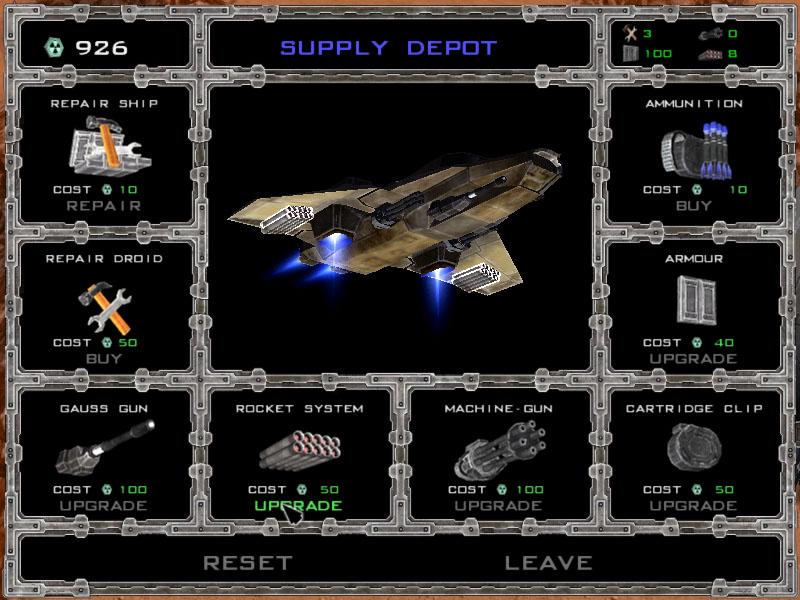
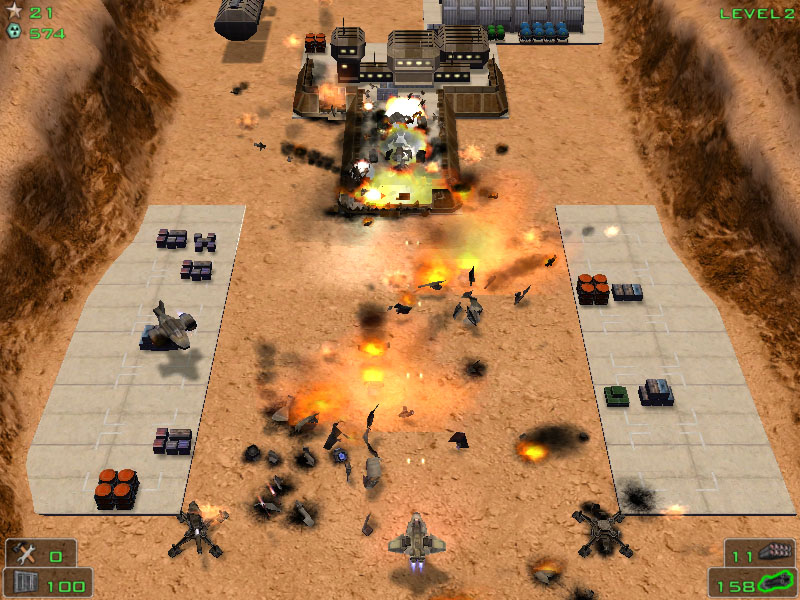
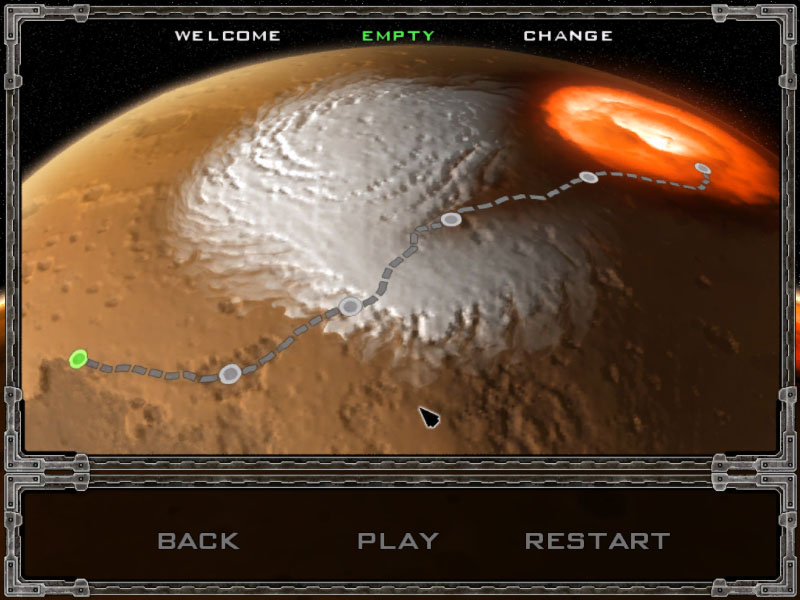
It is 2074.
Astronomers from around the world are watching an asteroid crash into the surface of Mars leaving a huge crater. Clouds of dust and vapor hide the surface of the planet for several long months. Communication with all Martian research stations is lost. When the clouds clear away, people send new spaceships to the Red planet.
The spaceships send back shocking news. Hundreds of plants producing arms have been set up on the maimed surface of Mars. Thousands of machines stock the mineral deposits that had been brought to the surface by the massive explosion.
A huge geothermal unit is running in the Center of the crater. Its energy creates a protection shield that extends beyond the planet’s atmosphere.
The objective of the unknown aliens is absolutely clear: they’re building an army to conquer the Earth! So people are sending a small spaceship to the Red planet with one mission: blow up the shield generator so they can launch missile attacks from the orbit.
The spaceship will have to land in an isolated area, and then try to infiltrate into the alien conspiracy.
You are the commander of the spaceship, and the fate of the Earth is in your hands!
System Requirements:
Win XP; Direct3D compatible 3D graphics card with 32 MB; RAM: 128Mb
Publisher:
Xing InteractiveHomepage:
http://starsashes.com/incinerate.htmlFile Size:
32.6 MB
Price:
$9.99
GIVEAWAY download basket




Comments on INCINERATE
Please add a comment explaining the reason behind your vote.

iPhone app giveaways »





Android app giveaways »





There is no real control of the game pices could be fun If it would go backward sonetime instead of forward all the time.
Save | Cancel
Game is great... needs a few tweeks.
too many steps to continue.
should have skill settings... my kids want to get further.
other than that this Game rocks!
Save | Cancel
Very fun game, great sound and graphics. It worked fine yesterday but I can't play today, it says all applications are bad. That’s too bad because I’m not very good at games but this one I had a fighting chance.
Save | Cancel
Hi George,
Just delete the installed folder. (It's a standalone program), so there will be few registry entries.
Save | Cancel
how would you go about uninstalling it
Save | Cancel
I played it start to finish in 30min.
I am not so sure about that price tag: you will need to add in more levels and different weapons to make it worth that price.
Save | Cancel
Just a note for if the dev checks back here.
I found the mouse-only controls a bit cumbersome for my laptop touchpad. Keyboard control would've been nice.
But everything else was fantastic.
Save | Cancel
does anyone cheats for this game. like unlimited cash or value of each upgrade is 0.00.
Save | Cancel
Theres no 1680x1050 resolution option, but the other resolutions work fine on a 1680x1050 monitor, so no 1080p, but its still good. Thumbs up, easy install!
Save | Cancel
The first time I installed this and tried to execute the game, I got a lot of sound file error messages. I uninstalled it, turned off my firewall, and re-installed. So far, so good. It actually launched this time!
I haven't played it yet, I'm just really grateful this forum is here and I clued into the answer to my problem because of it.
Thanks GGOTD!
Save | Cancel
Forgot to mention in my post #60: running Vista Home Premium 32
Save | Cancel
Tokk 3 times trying to install before I could play, Then I played the first level only to have it crash and would not play again,
Save | Cancel
Turns out Online Armor was blocking it from running. With it turned off it never said any of the sound files were bad.
Paul
Save | Cancel
Game loses points for having resolutions hard-coded. I have a 5:4 ratio, geniuses. Doesn't show how damaged you are when you're at a supply depot, it seems...
It looks like a lot of it's enemies are inspired by Raptor, but... this game fails to capture the high speed element to it. Did I miss a difficulty adjustment somewhere?
Also, unless there's a way to swap weapons later in the game... ...it quite simply does not compare to Raptor. Upgrades just aren't the same...
Save | Cancel
Glad I decided to stop by... seems to be my lucky day. Been waiting for a game like this... we'll see if it's worth it's salt.
mR. mE: It's a question of distance.
Save | Cancel
Installed and works great on my laptop with no video card running vista 32 bit HP. Thanks team.
Save | Cancel
Hi folks & WhiteRabbit,
You people will kill me ... disregard my Post #57 ... giving a Thumbs Down for this proggie ... I found out why the Game would initilaize Once and then would give me a Black Screen ... like it could not get started ... the culprit was my Comodo Firewwall Protection Defense+ ... somehow it wouldn't allow the game get started ... so I had to temporarily disable it just to try it.
So, Game is OK ... problem is other SW and the User! :D
THANKS!
G!:)
Save | Cancel
I also can confirm the portability and the lack of any registry entires worth talking about since I did an analysis. Then I transferred the folder from the virtual install done on Returnil to the Returnil virtual drive and then deactivated Returnil and copied it to my C: drive and deleted the copy off the virtual drive. Everything runs the same.
More detailed help would help us non-gamers and newbies. I would really recommend the developer consider that. I can see folks like me getting frustrated and giving up easy. Even if there are millions of versions of your type of software, it's still new to someone who might want to pay you for it. If they quit and get frustrated early, little chance they'll buy any of your other products. This is just throwing you into the deep end of the pool and hoping you won't drown.
Have no idea of good shmup tactics. Stikes me that evasion is the best tactic since you're so much more mobile than the drones and they don't shoot from behind. And you need to pick up everything you can early on so you have as many credits as you can at the supply depots, since I, at least, need that stuff badly. :( For 9.99 I can stand a little lack of development, but with all the highly developed games for bargain prices, I wonder how if it can be competitive.
Kudos for the flexibility on screen size! Also noticed in Window mode that the pointer stays inside the window. When games let it go past the window it can be a pain when the arrow drifts outside and you accidentally pause the game. Another little detail that many other developers should pay attention to.
Worth a look if the type appeals to you. I'll probably play awhile. Thanks GOTD.
Save | Cancel
Hi Paul comment #54,
Try downloading the demo from the developer’s home page and transferring the sound files over to the one we've been given. They are basically the same game apart from the one from the developers site is limited; it’s worth a try.
Hi spec,
I'm surprised you got a load of rubbish installed with Air Shark. Of all the free download sites, FreeGamePick has been the least intrusive from my experience. Some do try to install tool bars and hijack your browser (not the one that opens your browser when you shut the game down - all of them do that, but it's not malware). Is it possible that you missed un-checking any tick boxes during installation? I have noticed of late that more of the games include this little trick - which relies upon the user to be in such a rush to get the game installed that they miss the fact that the check boxes are already checked. Sorry if it's caused any problems, and if it has I hope they are easily fixed. :) btw, you're spot on with the comparison against Air Strike; which is a well rendered game, with several different scenarios and a shed load of enemies? Air Strike (though it may have a slightly different name) can be download for free from both Gametop and FreeGamePick.
Hi Joe Momma
Have you made a note of where the download is downloading too? As a general rule I download either to my desktop or to a file specifically for downloads, on my desktop; (it all depends upon how many files are on the desktop at that time). Try doing a search for it. The zip file is called Incinerate and should be 32.6Mb in size. I hope this helps.
If the above doesn’t work, I’d suggest you clean out your internet temp files and cache. This can be achieved in Internet Explorer (I.E.) by right clicking on the I.E. icon. A small window appears that allows you to delete the Temp and Cache as well as other stuff. (It will also delete all the cookies that enable you to fill in forms and passwords quickly, though you can be selective. It’s worth trying this approach as I’ve had similar problems in the past and cleaning out the Temp and cache files has helped to resolve the problem. It may also be your security settings.
Save | Cancel
I can't download it! when i click download, save/open, and when it dloads 100%, i cant open/find the file. Help meh please!
Save | Cancel
Hi folks,
On my Post #41 I said this game installed and worked A-OK on my Vitsa X64 ... I think I might have spoken too soon ... I installed it and played it once thru 2 frames ... then I had to go and take care of some family stuff ... I just got back and wanted to play teh game again ... as soon as I double clicked on my desktop shortcut ... my screen went black ... like before but I never got the Start-Up splash screen on my laptop ... I had to Hard-Boot to get my PC out of Black Screen ... I tried it TWICE and the same thing. So, I guess I have to give it a Thumbs Down ... even my Vote has already been counted in.
Q: Has anyone else encountered this weird deal!?!?
Thanks!
G! :)
Save | Cancel
why would the aliens fly to mars and create their base there and then attack earth??? if they did that they would be prone to earhling attacks!
why not just build the army on their 'home planet' and then fly to earth and conquer it!!!
Save | Cancel
This game immediately reminded me of Air shark, the game Whiterabbit already mentioned in his comment. I remember playing that game around 3-4 years ago but i could swear it was named Air Strike back then, and it wasn't free either. I guess the freegamepick.com bought the game and made it free by forcing users to install adware/crapware on their computers. How nice of them. The installer even runs cmd for an unknown reason, before you even start the actual install process. Now i'm going to have to find out what the *bleep*er did to my computer. Thanks for the link anyway, Whiterabbit.
Now let's get back on topic. Having played Air strike before, this game pales in comparsion. It is a fun game for a while, but it's way too bland and repetitive. There's only a few types of enemies to fight and you basically have to do the same thing all the time: always shoot your primary weapon, use rockets when you need a bit extra firepower and go crazy with the machinegun when you come across a bunker (repeat x100). The environments are quite dull, but it kind of fits with the Mars theme. The game is also very short, but even so it can barely keep you entertained all the way to the end. Overall, it feels like a half-assed, rushed product. I mean what's up with the "LOGO PUBLISHER" intro screen? Is that some kind of template from whichever game maker program they used to create the game with, that they somehow forgot to delete?
This is the level of quality i'd expect from a free game, not from something that they're trying to sell. And i'm not saying the game is bad, it just could've been much better than it is. It's fun to play for some time, but IMO it's definitely not worth paying for.
I'm not giving this game any rating.
Save | Cancel
I've downloaded it twice and when I run it it says the DATA sound files are bad and then crashes.
Save | Cancel
Thanks for the game, having a ball, welcome back!
Save | Cancel
I've been meaning to restart making my own game videos, but always seem to be writng my revies in the early hours of the morning of the day the game is to be given away. . Thanks for posting it anyway. To gpc111, nice to see you're happy. As for the free standing aspect; yeah, I checked it out earlier today, but have been pre0ccupied most of the day so until you mentioned it I'd forgotten to add a comment. There are a few registry entries, but none of importnce; mainly referring to the installation process and the original zip file. It can definitely be played from a pen drive if you wish, and although I've not tested it, it will probably play directly from a CD ROM as well.
As for the spelling of Shmup's, of course - it's so east to add a c though, lol.
regards Whiterabbit
Save | Cancel
Whiterabbit, you would not have found the video, it was posted only 30 minutes before I posted the link here. ;)
Save | Cancel
Of course the correct spelling is "shmups" - without the "c". ;)
See: http://en.wikipedia.org/wiki/Shmup
Save | Cancel
First off I have to say how wonderful it is to see the game side back. Thank you right off the bat. I was somewhat skeptical of this game at first. My guides are to first visit the site of the vendor offering the giveaway. Do they have a web site? This vendor does have a site, that is a plus in my book. I agree that it does give a Raptor feel. I liked that game and miss it. But I use Windows XP now. I feel the days of DOS are over. There is no way I would install a dosbox type of application. That is what makes this game even more appealing. You can play a Dos game in XP. I can't comment on Vista. I say give it a shot. It's mindless fun. I haven't advanced that far yet but have had some fun in failing. My last comment is that there is no instillation process. This is a game that is unzipped to a folder of your choice. That's right. You get to choose where you want this game to be. I would suggest unzipping it to a memory stick or an alternate hard drive. If you like it you can move to your primary drive. If you don't like it, you merely delete the folder that you unzipped it to. No muss no fuss. As far as I can tell the program only unzips. It doesn't add anything to your registry (that is why there is no short cuts or desk top icons added). Maybe some of the game gurus can confirm this. Either way I am very happy with this. It is a keeper for me. Thank you so much GGAOTD for your return and thank you to the publisher, Stars Ashes, for the gift.
Save | Cancel
Looks like fun. Seems to have installed without a hitch, will give it a go in a bit. If nothing else, just happy to have free GAME offerings again! I've missed these while y'all were on vacation. Thank you!
Save | Cancel
Game must be popular as I cannot get the Download to keep from timing out, lol!
Odd though, I can finally say "I was just checking that out" as so many here do about many programs and games. I was looking for info about a recycle Bin alternative called Incinerate and I kept finding links to this game. From all accounts looks like a solid shooter that is too brief.
If anybody has any info on the old "Incinerate" windows option let me know! :)
Save | Cancel
Well, that was somewhat entertaining, but it took less than an hour to beat.
Save | Cancel
Thanks for the game today....and thank you White Rabbit for adding 'schmups' to my vocabulary! It's a much better phrase than shoot 'em ups and I hadn't heard it before. Thank you and thank you GGOTD. :O)
Save | Cancel
Hi Linda Go to where the game was installed, which should be C:\games\ and delete the entire folder. That should be it. :)
regards
Whiterabbit
Save | Cancel
I just downloaded, install and played around a minute of this game. From what I have seen..... I think I am really going to likr this game. Thank you!
Save | Cancel
Excellent. Something not easy to work on for a while.
Save | Cancel
Very Nice Game. Installed A-OK on Vista Home Prem, 64-Bit. THANKS!
Save | Cancel
Txnnok posted a link in the forums that gives you a free full version copy of Crazy Machines 2+ an updated version of the old classic Impossible Machines:
http://www.giveawayoftheday.com/forums/topic/5616
Thanks for posting the video link HOSS, forgot to check this morning (was writing the short review between 3.30 to 5am this morning)
Save | Cancel
Could someone please tell me how to uninstall this, I loaded it onto my laptop and got tons of sound error messages and now I can't uninstall it.
Save | Cancel
Play just fine on Vista Ultimate 64
challenging blow up game
Save | Cancel
Eh game bahut hi maarhi hai
Save | Cancel
I'll have to check this one out. If it only unpacks with no registry install, it should run from a flash drive and be portable!
Save | Cancel
Oops. I take back my previous comment that it works on Vista 64. Unfortunately, it freezes after a while. Not an uncommon Vista 64 games experience, but there you are. Had to delete it.
Save | Cancel
no thanks
Save | Cancel
glad to see you back, no thanks aboutr this game
Save | Cancel
youTube member RandomMac5 posted a quick video on this game. It's short and he gets killed a couple of times but it does show you what the game is like. Thanks RandomMac5. :)
http://www.youtube.com/watch?v=GFvkSNDrbBk
Save | Cancel
Was fun. Small bug - after killing a minor boss ship I died due to colliding with rounds it had fired just before it died. The game progressed to the next mission with me at zero armor, and then the game got stuck in a loop with me exploding and then mission restarting with zero armor and exploding again! Needed to set-bit my armor from zero back to one with a hex editor to continue the mission (profile.dat was file edited, not hard to find the byte to edit). Except for this but, it was fun fun. By the way, I recommend keeping finger continuously holding the left mouse button for perma-firing, and then simutanesouly push the right mouse button when needed for multi-barrel destructive fun.
Save | Cancel
I cant find cheats for this game something like unlimited cash so i can upgrade this jet. Anyone please help me!!
Save | Cancel
Shooters are not my cup of tea, but...
Vista Home Basic, 32-bit, 2GB RAM, eMachines OEM
Works good, I'm not very good at it, though. LOL
Smooth graphics on my 1600 x 900 res widescreen, too.
I'll be deleting it, but It Does Work! :)
Save | Cancel
nice game, thanks ggaotd!!!!!
Save | Cancel