Every day we offer FREE licensed software you’d have to buy otherwise.
Game Giveaway of the day — Be a King 2
Be a King 2 was available as a giveaway on January 21, 2012!

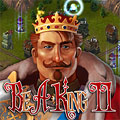
"Be a King 2" is a fantasy strategy game. It offers fast and entertaining game play. You - as a ruler of a medieval kingdom - must build towns and cities, defend them against raiders and perform various objectives. Enjoy the medieval atmosphere in lovely fantasy graphics!
Main features:
- Play 37 original levels;
- Use 12 different types of buildings to grow your cities;
- Upgrade the buildings - each building has 3 variants;
- Defend your lieges against hordes of monsters and bandits;
- Fulfil different types of objectives;
- Train heroes and complete a lot of adventurous quests;
- Listen to the orchestral soundtrack inspired by film music.
System Requirements:
Windows XP/ Vista/ 7; 1.2GHz, 3D video card, OpenGL recomended
Publisher:
Xing InteractiveHomepage:
http://www.300ad.com/be_a_king2.phpFile Size:
39.9 MB
Price:
$19.95
Featured titles by Xing Interactive

Try to rule your land as the real king! Rebuild cities to their former glory, feed the poor and protect them from raids by bandits. Rule with your strong hand and raise a powerful empire. "Be a King: Golden Empire" is a fantasy strategy game. It offers fast and entertaining game play. You - as a ruler of a medieval kingdom - must build towns and cities, defend them against raiders and perform various objectives. Enjoy the medieval atmosphere in lovely fantasy graphics!
Crystal Cave Classic is a quest for long-lost treasures buried in pitch black caves, pyramids and temples of ancient civilizations. Huge gemstones were sheltered from the sunshine for eons of time waiting for explorers brave enough to unearth them. You - as an intrepid treasure hunter - will need all your ingenuity to pass the traps and dangers of the underground and collect the treasure in more than 170 levels.
Archibald‘s Adventures offers gameplay mixed of action and puzzle elements with gradually rising complexity. The player starts as a boy on skateboard, but soon he will roll in robotic vehicle capable of riding on walls and ceilings, fly on jet device or remotely control mysterious floating bubble able to switch distant mechanism or transport objects. Help Archie to overcome all of the pitfalls of the Dr. Klumpfus mansion in this funny action puzzle game. Test your skills and wit in more than 100 uncanny levels! Archie and crazy Professor Klumpfus are stuck in the professor's mansion. The latest experiment of the goofy scientist went all wrong, and weird lifeforms escaped from their containment. Now a paranoid central computer locked both heroes up!
GIVEAWAY download basket



Comments on Be a King 2
Please add a comment explaining the reason behind your vote.

iPhone app giveaways »





Android app giveaways »




Hello Stephen. I wish we had at least a fortnight to review these games before writing our reviews. In many cases, hours is just not enough.
After several more sessions with "Be A King II," I and others have come to some quite definite conclusions. This game is the bees knees. We replayed "Be A King" (Version 1.3) and made some comparisons. It seems that the "clouds" (or fog) is really not a problem, and it does add to the game as building structures, especially tall defences, abates the fog. Version 1.3 does not have this feature, and it's a nice touch. The graphics, music and sound are great. Version II also has the advantage that defences attack the nearest villain, where is 1.3 they combine to attack villains in order of appearance. Version II's concept in this regard is better.
The only serious GLITCH in Version II is that the icons to buy wood and stone are illuminated even when funds are insufficient. Version 1.3 does not have this problem. The developers should fix this. This affects game play.
As mentioned earlier, this was installed on two 2008 computers, nearly identical, both with Windows Vista. On one, the installation and grafics were correct out of the gate. On the first one, much tweaking had to be done to make it work without error, but once "massaged" it worked without a glitch ever since (although once at exit, the desktop temporarily had the same resolution as the game - fixed by restarting the game and exiting again).
After the additional evaluation, I would like to offer this updated and upgraded assessment of Be A King II:
Download and installation – 10
Registration process – 10
Graphic Appearance in Game – 10
Background and Colour – 10
Audio – 10
Game Play – 8
Replay Ability – 8
Originality – 9
Total 9.4 out of 10.0.
A "SANDBOX MODE" would be nice. They SHOULD add this, then replay ability may be a 10.0.
Once again, a special thanks to you Stephen (WhiterabbitUK) for your topnotch reviews (and they DO take time), and everything else you do here as well. Thanks also goes to GGOTD, posters to the forum and AD300 / Rake in the Grass games.
I sincerely hope that the developers get to read the updated comments posted here from myself and others.
Cheers.
PS-Perhaps the developers should offer Be A King 1.3: Lost Lands again as it too is a great game, and greatly compliments Be A King II. Yes, we give "Lost Lands" as high a rating as "II".
...................Moderator comment..................
Thank you for your excellent feedback Mr Snoozle; much appreciated. I will include some of your scoring categories next time. I used to score originality, but stopped for some reason. (I think it was becasue when averaging out the score to get an overall score we were getting some weird numbers, lol. though I may include weight to categories so that the more important get more. Game play for me is the most important, so maybe Game play could be double the score. I'll have to come up with some simple formulae :)
Save | Cancel
Tried the game on the day it was offered. Would not install properly. System meets all requirements and I have never had an issue with Game Giveaway of the Day before.
It is a shame, as the game looks awesome and I was really looking forward to it.
.............................Moderator Comment........................
Sorry to hear you missed out. When you say it wouldn't install what do you mean exactly. There is a possibility that you may sill have got the registration so try installing the demo from th developers site. It may work, but can't guarantee it. :)
Save | Cancel
Addition to comment #58 -
I replayed the West Kingdom as far as I was able --- and discovered what is going on.
In the map menu where you choose the city you wish to play: The map background is sizing correctly with respect to the screen size, however, the location where the city to be selected is not being properly located on the map with different screen size. In other words, specifically, with a narrow screen (1024x600) the map background is sized for that resolution, but the cities seem to be located as if they were on a 1024x800 or so map. Therefore, their placement is too low and , and they become located too far down to be able to be selected by mouse click.
Luissam (first city) in the upper left is about 12mm below the road, Iron Post (the city below it) is about 30mm below the road, and Wind Nest (to the right and below Iron Post) is about 45mm below its proper location, and is too low to be selected.
There is a coding bug with regard to resizing.
Please let me know if it is repaired.
.............................Moderator Comment........................
Thank you for your feed back. Please post this over in the forums. I think I posted a thread in the game discussion forum. :)
Save | Cancel
Good game, would be better if it had one more map with time as the target, live for 20 mins... 25 mins 30mins... but that you had total freedom of what to build. each lvl on the map would have more and harder enemies.
Lots of the lvls could do with the number of weeks tweaking as I managed to get gold on all but 1 level first time, most by winning over a week early.
Save | Cancel
By the way - I meant to say I have enjoyed the play of this game for the most part, and think it would be worth buying for people who enjoy this time management type game.
Save | Cancel
I have used this game for long enough now to have something worthwhile to say.
1. Some problems with graphics, as some others have noted. Installed on an XP/SP3 notebook - max resolution 1024x600. Minor problem is that the 5-line comments on the bottom are not always visible. Failure when I tried to use "windowed" mode.
2. I played about 7 of the scenerios (after the tutorial, which is good). I agree that popups are a bit too intrusive at times. Reasonable game, though this is not a genre I go bananas over. It would be good if the cities persisted when revisited, with an option to rebuild it and try again.
MOST IMPORTANT:
3. I am stymied right now: I am unable to play any more of the game for some reason. After building "Black Camp" (the eighth city), the little "red arrow" dictating the next city to deal with is not available. I suspect that I ought to be going to "Valley" next, but the game is not allowing me to do so. I can return to earlier cities and replay them, but it appears the game is finished for me.
Please advise, anyone, if you have had a similar experience.
Save | Cancel
After playing Be a King 2 for another day, I realised that enjoyable as the early game is, the later stages were a lot more enjoyable. Some of the late game is really quite challenging. I would give this game a very high score for gameplay.
Building cities becomes really interesting, and my only regret is that they disappear again as soon as a level is won, which tends to undermine the story line about reconstructing the ruined kingdom somewhat. I've enjoyed the city-building aspects of this game far more than any game I've tried which was designed to be an actual city-building game, and I would really love to be able to play this game in an alternative persistent mode, in which the kingdom is slowly built up, and you would have the ability to return and modify the design of town, and perhaps to respond to new threats over time.
Also, since I don't enjoy timed elements of strategy games much in general, the opportunity to play for alternative trophies that don't involve playing against the clock would be very welcome.
I really think this absorbing game has enormous scope for expansion. I'll be finishing it shortly, and I'll really miss it!
.......................Moderator comment.........................
Thank you very much for your feedback
Save | Cancel
Nice game. I like it a lot except every time I try to close the game or switch between windows the game crashes (no error message) and it restarts my computer. I do get a warning message from my Gateway monitor that it is not running in a native mode. The game runs on my monitor as a full screen with no issues until I try to stop it. I don't know if anyone else has had this problem.
....................Moderator comment.....................
check your event log. That may or should give you details of the error that forced the crash.
Save | Cancel
I think I played this game before in a trial version a couple of years ago. It was interesting. The game kept me on my toes due to the different attacks that happen in different stages. I had to once a while change my strategy due to the different scenarios.
Save | Cancel
Very addictive game. I'm a little puzzled by a few thing though: the game may be "untimed" but you can't get a trophy if you miss certain deadlines. The game still lets you finish, but I'd hardly call that "untimed." There may also be a bug in the software as I was unable to play in windowed mode. The game refused to load once I made the preference and all I got was a useless bar taking up space in my toolbar. (I'm playing on a laptop, so maybe the mouse was incompatible?) I had to delete the preferences file in C:\Users\...\AppData\Roaming/Be a King 2/prefs.cs in order to get back control of the game. (Windows Vista) On the other hand, it ran fine once I let it take over my screen, and I only had one interruption when my computer had to auto re-dial the Internet connection for something else in the background. In that case, it appeared on top of the game and then went away without incident.
.........................Moderator Comment.........................
Thanks for your feedback
Save | Cancel
Clean download and install on Vista Home Premium 32bit.
I like the concept of the game, but like many others, I too am experiencing graphical gliches... with me it's diagonal rolling lines... even after I've been into my graphics controller and allowed the application to adjust accordingly.
I've only managed to find time to finish the tutorial, but it seems like this game could easily keep me distracted from other things that I should be doing ;o)
I found the hero comically cute with his oversized sword... it was almost as big as he was! :o) The graphics are generally cute and cartoonish... and if the tutorial is anything to go by, there doesn't seem to be any blood and gore, so it seems an ok game for the young, also because the 'battles' are fought almost automatically. For me personally, I would prefer to be able to give commands to the hero, rather than him just going off and doing his own thing.
I wasn't very keen on the music... would prefer something a little more atmospheric to lend something to the ambiance -- perhaps it improves in the game itself...?
Well, as I only got through the tutorial, I don't have any more than that right now... good job plenty of others have had more to say!
Save | Cancel
Finally had a chance to try the game out. Downloaded fine. The play is delightful...with very clear instructions. Thank you very very much for this. For some reason having a problem creating a shortcut to my desktop that actually works, but not giving up... though it sure would be nice if more developers included one in their games! (hint hint) lol. (Sure wish you would bring back Archibald's Adventures! When my Autistic Grandson's computer was cleaned, he lost the game that he had gotten here. He sure misses it...and since he got ME hooked on the game, so do I, lol. :)
Save | Cancel
awww, I completely missed this one because it wasn't linked on the front page D:
I guess I'll have to bookmark the game giveaway of the day page instead of just the giveaway of the day page. I wish I had known this earlier...
Save | Cancel
I can not say this enough. Using Winrar to copy files to a folder does not install it on your system. Most of the problems that are being reported is because of that reason. They are most6ly install errors that Windows can not handle just by copying files. There needs to be a real install program, so Windows and Mac can make the necessary changes when the games are launched. Practically every error that is reported week after week can be attributed to hardware errors because the OS does not handle cold calls to the hardware.
........................Moderator comment.......................
Thank you for your feedback. Absolutely agree with you chuck.
Save | Cancel
Did not know this was available. There was no link to GAOTD, which is what I check daily.
........................Moderator comment.......................
Hi Mike, sorry you missed the game. I did post a message over in the giveaway section, but not until the game had been available for a few hours. Considering the game was pretty decent and something new, the download numbers were very low. I would have expected to see at least 10 to 16000 plus downloads, but there was only around 6000 downloads, so i reckon a lot of users missed out on the game. Maybe they will offer it again for a few hours next week.
Save | Cancel
Clean download and install on Vista Home Premium 32bit.
Unfortunately, I only got through half of the tuturial before the day went nuts, and I wasn't able to get back to the game, so I'll write feedback after I've tried it out properly.
Sooks
.......................Moderator comment.....................
Thank you Sooks, that will be appreciated.
Save | Cancel
Had problems with my AV and was down most of the day. Glad I caught this in time. If I'd known, I'd have posted some feedback much earlier. Don't have time to test 2, but was absolutely hooked on 1. Thought the developers had given up on it. They made a very wise decision to continue development on this winner.
I think the original would have gotten even better reaction if it wasn't for small things. There was some inaccuracies/incompleteness in the original documentation, which could be misleading. For example, the original didn't really directly state that it was played for trophies, which makes the untimed mode almost pointless. Also, there was confusion that the protection points had nothing to do with your ability to attack marauders, but only how many citizens you could keep in your town. You, of course, need separate attack points to defend against the outside baddies.
The main problem - if you can call it that - is that the developers are SO good about easing you in gradually, that the game can look TOO easy early on. If people have played a few levels and are considering giving up, I can tell you that the cities are drastically more challenging.
It doesn't have the deep strategy of KingMania, but that's intentional. This is basically a time management game that requires some planning. I'm sure the trophies are based on points, not just time, so the strategy you use in choosing what to build and when is important, thus challenging.
Looks like they've much improved on the original from the looks that Whiterabbit has provided us. BAK one is probably my favorite of all the GOTDs I've downloaded. I'm sure 2 will be even better. Keep up the good work!
........................Moderator comment......................
Thank you for the feedback
Save | Cancel
installed just fine for me, but i also got the flickering screen, like the first commentator. i will try the suggested remedies in the morning. i waited too late to install today--i'd never get it reinstalled by the time the giveaway is over LOL. But i did play it for awhile, and i liked it a lot. i usually don't like these types of games because i feel rushed to do certain things before something gets me or i blow up or something, but this seems so far to be going at a manageable speed (which will probably speed up later, but hope by then i'll be better at it LOL). Fun game, cute graphics, wonderful helpful thorough tutorials. Only thing i would change is for us to have some control over the heroes fighting or the towers shooting, rather than having to just sit back and watch and see if they get killed or not. But thank you for a game i'm sure i will play often.
Save | Cancel
Installed, didn't work. Windows Vista, Data Execution Error. :( Disappointed.
Save | Cancel
Installation went fast and easy. Played through tutorial and little more. Thanks for another good game!!
Save | Cancel
tried downloading on acer vista, invalid file from zip; tried mirror download, same thing. tried regular download again and got trojan horse backdoor.huppigon5 from the application file, but not setup file. guess i'll pass on this one,although looked great since i love my civilization 3 and 4, thought this one would be a nice, light type to use without a disc.
thanks for all the offerings!
Save | Cancel
Thanks Rabbit if you didn't post on GOTD I would have missed this and probably done some housework today ;-) instead of playing most of the day.
I installed this on my XP laptop, noticed it wanted to install itself into the last directory I was working with so I used the Browse key and installed it into my Program Files. I opened the folder, right clicked on the Beaking2.exe and send it to desktop(create shortcut).
#31 When you start the game up the queen is holding your character name. This is where you change who plays the game.
(My hubby had minor surgery on Thursday so good luck with yours)
Happy Gaming.
Save | Cancel
Thank you very much for giving away such a great game. I had played the first Be a King and this game is even better than the original. Installation was fast and easy on windows xp and no glitches yet after 2+hours of game play.
Save | Cancel
I'm a big fan of games of this type. This game is like a mini age of empires. Is there a free play or an unlimited mode in this game. Thanks for the giveaway
Save | Cancel
Having completed about 70% of Be a King 2, I'm finding it really interesting and fun. I enjoy strategy, tower defense and fantasy games, so this one is right up my street. I also appreciate good graphics, and it's obvious that a lot of care has gone into crafting this game. Once you reach a certain point in the game, it can be quite challenging to complete a stage. Also, there's plenty of scope for replayability. I gave up trying to collect the trophies for finishing quickly after the first few villages, so I expect to replay the whole game again in an attempt to win those trophies.
I do think there's some room for improvement though. I agree with Stephen and Xavim about the relentlessness of the hints. I agree with Delenn that the tutorial is too repetitive. I also wish that the player had some control over the positioning of heroes. After killing a monster, the hero always returns to his barracks before becoming available again, even if there is another monster wreaking havoc right under his nose, which is a bit frustrating when you're watching your buildings being demolished. I would like to choose where they are stationed and have the ability to redeploy them before they return, or even before they finish killing the first one.
However, these problems didin't stop me enjoying the game. Thanks to 300AD and GOTD for this great giveaway! From the look of the developer's website they have some other really good games on offer, so I'm hoping we'll see them here again in future.
PS Thanks to Stephen for the heads up on the main GOTD page, without which I would have missed out on today's game.
........................Moderator comment......................
Thank you for the feedback
Save | Cancel
Thank you for the help. I finaLly got it installed and it works great. This is a fun game and I thank you for the download.
Save | Cancel
I liked CubeDrift but Im not much into strategy games such as this weekends offering - be-a-king 2.
CubeDrift is more my style especially when I can choose a level next time I play, finishing after about 15 minutes.
I was surprized I didnt just dismiss this weeks, glad I didnt as I enjoyed playing it for several hours but thats my problem, (mostly) I really dont have that amount of time to spend on a game, hope I dont have to do it all again next time to get to the level when I left off (said I had completed 53%)
Ive nothing to compare it with, Im a mature computer user with not a lot of patience, so other than saying I carried on playing and yes I enjoyed it well enough, I dont know if this game will start a fresh interest, have to wait and see, but I am saying thank you for letting me try it.
Save | Cancel
game downloaded and installed without issue but actually running the game is very odd
first game screen is so oversized i'm seeing only 1/3 of the screen (could be more but can't see it)
ran as admin but that didn't change anything
my first GOTD download not very successful
Save | Cancel
I've only gone through the tutorials and the first "village", but gameplay is good for a casual game. And why do i keep thinking of a certain burger place when I see the "King"....
Save | Cancel
I reduced my colors from 32bit to 16 bit and it works like a charm. Thanks.
......................Moderator comment....................
Excellent :)
Save | Cancel
Hmmm...
Installed fine on my 7 machine,
When I try the .exe file on my Vista machine it tells me Windows Data Execution Prevention was activated:
Data Execution Prevention (DEP) is a security feature that can help prevent damage to your computer from viruses and other security threats. Harmful programs can try to attack Windows by attempting to run (also known as execute) code from system memory locations reserved for Windows and other authorized programs. These types of attacks can harm your programs and files.
DEP can help protect your computer by monitoring your programs to make sure that they use system memory safely. If DEP notices a program on your computer using memory incorrectly, it closes the program and notifies you.
Weird that Windows 7 doesn't mind this game, but Vista is freaking out.
......................Moderator comment....................
Thanks for the feedback
Save | Cancel
Game is very good, Thank You!
For those saying they don't can't buy wood/stone even though they have enough gold,
when it says 500 wood, it means 500 pieces of wood, the price is 1000gps.
Stone is 2000gps for 500.
Either way, thanks again for an awesome game, I'm back to install it on my other machines.
......................Moderator comment....................
Thanks for the feedback
Save | Cancel
I love the music. I think the tutorial is a little repetitive. You should be able to figure it out on your own. But you know what?I am going to see how my 5 year old niece does on this if it walks/talks you through the game slowly UNTIMED and will give you clear hints through most of the game. She gets frustrated easily because she doesn't know some of the words and doesn't know what to do. This could be perfect for her. I only got to play a bit because the hubby had surgery yesterday so I keep getting called away from the PC. I think some mini games would be nice too. I noticed you don't give a name when you start the game. Does that mean once you finish the game..It can't be played again?
Thanks GGOTD, Rake in the Grass and 300AD(Good to see you back) And a great review as always Wrascally Wabbit.
Oh, and if you like adventure games ..Check out The AGS Bake Sale Bundle - Pay what you want! - http://agsbakesale.com/ The monies goes to Child's Play...a gamer's charity.
14 games made JUST for this cause so there is no possibility you already have these games..They are all new! Plus when you buy the bundle, a sick child gets to play a game and maybe, for a while, forget their pain, boredom and sickness.
......................Moderator comment....................
Thanks Delenn, will check the link out. :)
Save | Cancel
25.Game was going good but after the tutorials and maybe into the 3rd level when I try to buy materials it says I don’t have enough coins but I do…coins keep adding up but I can’t buy materials????
…………………Moderator comment…………………..
It worked for me. Can’t advise on what to do though????
no answer here either?????????????????????????????????????????????????
Save | Cancel
Installation was easy, just one zip file away. The game is fairly entertaining, aside from it's linear flow, which I am not a huge fan of, personally. You simply move from town to town within the kingdom, fixing small towns up up and completing missions. It's no Age of Empries, but it is still rather addicting. Difficulty Level (at least within the first few missions) seems low and once you get a hang of it, doing what you need to complete missions comes rather quickly. On a scale of 0-10 overall I rate it a 7. It's limited creativity can be good or bad, depending on what kind of gamer you are.
.........................Moderator comment........................
Thanks for your feedback.
Save | Cancel
UPDATE from Snoozles . . .
I had a chance to install this on another system with Vista operating system. This time it came off without any fuss or mess whatsoever. Strange, eh? It seems that it's something with my system, even though the other is a nearly identical system as mine with the exact same version of Vista (2008). Still, I've had few problems with a variety of applications including many games from right here!
Review: Yes, there is something special about the Be A King games. Again, I have extensively used the last Be A King version, offered here 2009-11-22. Today's "version 2" is quite similar, but with some added twists. One that stymied us was the REQUIRED quest where one had to "look for missing villagers." In order to do that, it was necessary to build a barracks as close as possible to where this quest "appeared to be" (that may make sense if you've tried this). I BELIEVE this will solve the problem, but, on the other hand, perhaps this isn't it. But it seems that if we built houses or farms near the "quest on the game board," even with every single space filled, that particular level would go on without end!!! To solve the problem, we had to quit the level and start again.
I can see this a being a "roadblock" to some users as there is no hints in the game for why this was happening for us, and it wasted half an hour. Just remember "barracks clear the clouds."
Tip: it seems that the barracks "clear the clouds" so one can see more of the game board. We missed yet another hidden target earlier because of the clouds, but it was not a required task that time. Perhaps our score just wasn't as high up on that level. Oh well.
The main "problem" I can see is watching for the "quest requests" coming up on the far left side of the screen. The icons are small, and they don't stay up for too long. It's like flying in the clouds, one must scan the instruments. Keep checking over there on the left every 10-15 seconds or you may not be able to take advantage of all the requests.
It's quite possible that there is a sound associated with the aforementioned "requests," however I've been working this around others (busy flat), hence had the sound levels down quite low. The music is great though, what little I was able to listen to without getting nicked. Right, I'm just far too polite!
I like this version, although it did take a bit of getting used to as compared to the 2009 giveaway. The previous version was always open - no "clouds" - and one could build where they wanted, when they wanted. That's one of the main changes.
We wished that the icons to purchase lumber and stone had the COST on instead of the QUANTITY. Or, perhaps both. Hovering over the icon does show the cost. But, one must really pay attention. Right, that's the whole idea here - pay attention!
As with the first version, some of the building icons look like some of the others. Perhaps the steps to build could be a little more user friendly as well. I'm not quite sure how to set it up, but perhaps the developer can try a few different approaches. Don't misunderstand, it does work well, I'm "just sayin'" this aspect could be improved somewhat.
I'm basing my scoring on the SECOND installation I did - for a friend. As I mentioned, the second Vista system did not have the problem with switching display modes or whatever, perhaps on the first - mine - it was some unique glitch. The game play is the lowest and that's because of some of the aforementioned "issues." Hopefully, these can be addressed for Version Three. Still, 8.5 from 10.0 is a great score!! Anyway . . .
Download and installation - 10
Registration process - 10
Graphic Appearance in Game – 7
Background and Colour - 9
Audio – 9
Game Play - 6
Replay Ability - 8
Originality - 9
Total 8.5 out of 10.0 from us - Thumbs up
Again, Thanks to GGOTD, posters to the forum and AD300 / Rake in the Grass games. A special thanks to Stephen (WhiterabbitUK) for doing such great work here!
Cheers.
.........................Moderator comment......................
Thanks Mr Snoozles, your feed back is much appreciated.
Save | Cancel
Only just started the Tutorial, but looks good. Downloaded and installed okay on Win7, 1GIG NVidea card and that is about the limit of the knowledge I have on my system. Oh.. used Google Chrome and Winzip, game did give me an error message about possibly not being installed correctly, but so far it is fine. Thanks GGOTD
Save | Cancel
I always enjoy shooting the bull while shooting birdies or the the occasional eagle out on the golf course or shooting baskets. During the winter or bad weather, nothing beats shooting pool or shooting the moon in a good game of Hearts. Of course, I'm always busy trouble shooting something, but next time I see a shooting star, I'm going to wish for a nice casino game on Game GOTD for Builder and myself to analyze statistics while shooting craps. Of course, golf, basketball, billiards and card games would be great too!
Save | Cancel
Game was going good but after the tutorials and maybe into the 3rd level when I try to buy materials it says I don't have enough coins but I do...coins keep adding up but I can't buy materials????
.....................Moderator comment.......................
It worked for me. Can't advise on what to do though????
Save | Cancel
Nice sequel, almost missed this one as it wasn't linked to GOTD main page(thanks to whoever alerted us in main page comments-appreciated).No probs on win7 X64.Thanks GGOTD & 300AD for another keeper. Good screenies stephan,they make the synopsis well-worth perusing for those who didn't get be a king earlier on.
Save | Cancel
I have tried 3 times to play the game & I keep getting an error "hardware failed to switch to the specified mode". I have no idea what that means
.........................Moderator comment........................
Check the following Google search. you may find an answer there. I'd do it myslef, but need to get the kids to bed then prepare for an online game with some other giveaway community members (Dead Island). If the problem hasn't been resolved (please repost to let me know if the link helped):
Click HERE
Save | Cancel
Hi,
When I try to run the game, the hardware fails to switch to the specified mode. Any help?
.........................Moderator comment........................
Check the following Google search. you may find an answer there. I'd do it myslef, but need to get the kids to bed then prepare for an online game with some other giveaway community members (Dead Island). If the problem hasn't been resolved (please repost to let me know if the link helped):
Click HERE
Save | Cancel
My download changes into real player music file and real player won't open the file. How can I change the setting and what do I change the setting to?
.........................Moderator comment..................
Manually select your installation path rather than accepting the default path. sometimes the default path can be influenced by the last item you installed. Usually due to a corrupt file. clear out your caches and try reinstalling. google if you're not sure. I'm sure the tekky users that frequent this site will leave more useful infor. :)
Save | Cancel
Evening all.
There is STILL no link from www.giveawayoftheday.com to today's game giveaway. Sad. ALSO, this game BY default installed in C:\program files\games\beaking2 ... not in C:\Games\beaking2 as is stated in the readme file! Perhaps that's a another Micro$oft glitch, personally I prefer the games director to be below program files and I commend the developer for allowing it to be as such. It's just that the information in the readme file was wrong.
I successfully installed the LAST Be A King (2009-11-22), after much difficulty. "Hardware failed to switch to specified mode." SAME this time! The graphics initialisation system in these Be A King games is quite poor compared to most every other gamegiveaway I've installed. Many reports were common that day, and some possible solutions as well. It's worth looking at if what I present here is useless for you. http://game.giveawayoftheday.com/be-a-king-lost-lands/ (don't forget to click on allow all the comments there, otherwise you'll only see the first three comments).
Today's problem, and 2009/11 as well, was this:
-FIRST start showed "Hardware failed to switch to specified mode."
-Switched to the lowest resolution and the game DID LOAD.
-Changed the default settings on the OPTIONS screen. (checked NO FULL SCREEN --- a later check proved these options will NOT be saved sometimes).
-I switched to a medium resolution, now start up of game showed a taskbar button, WITHOUT vision, but with sound (intro music).
-Reinstalled the game, but no change.
-Exited the game, and changed back to my system normal 1366x768 32 bit setting. However, the system would NOT change back. The best I could achieve was now 1366x768 16 bit. I lost my nominal setting.
-Closed Windows Vi$ta and reset the computer.
-After rebooting, was able to regain the nominal resolution.
-Discovered that (1) Reinstalling the game will NOT reset the "defaults" that I set today...most likely permanently saved in the registry...and that's "a big no-no" and (2) Changing the game defaults are NOT saved UNLESS one does one at a time!!!
-Changed each setting under options, saved and exited the game, then restarted the game BEFORE changing the next default. This seemed to work.
-FINALLY, I held my breath and changed the window/fullscreen option back to fullscreen. And, just like the previous Be A King, it seems to work now. Again, the last Be A King ALWAYS worked great once jumping the initial hurdles to making the display work properly.
I will test this a bit more, then report back with a short review.
The first Be A King games (2009-11-22) was QUITE NICE, and the final result was worth working for. Perhaps the real problem is with my Micro$oft Window$ Vi$ta? "Big bucks for a heap of trouble" - that's VI$TA! I do not have access to any other operating systems, thus I cannot test this hypothesis.
Can't we all work together on this? If only we knew which operating systems had problems and which worked flawlessly! I wish that within the giveaway commenting system there was a polling system whereby people could vote something like this:
-Downloaded ok Y N
-GOTD activation ok Y N
-Vendor activation ok Y N NA
-Installed ok Y N
-Like it (scale 0-10)
-Operating system: Win98 Win98SE WinXP WinVista Win7 (ETC)
-Graphics card (if known):_____
-If activation failed, what browser did you use?______
(ETC)
If we ONLY had this data, problems could be solved five times faster!
Nevertheless, the developer (Rake in the Grass and/or AD300) should be able to make a workaround for Vi$ta. PLEASE!
I sincerely wish that GOTD could implement a meaningful polling system!!!
Thanks Whiterabbit-UK, the users of this site who have helped in solving the problems and left other useful comments, and to Rake in the Grass / AD300 who have seemed to make yet another great and fun game.
Cheers.
.........................Moderator comment..................
thank you for your feedback, the rating system you propose is actually quite a good idea; unfortunately i've been trying to get a significantly higher proportion of the community to leave useful comments for ages now. It seems to have worked very slightly 9thanks to all who contribute), but it's still not enough. There are thousands of users downloading these games yet we are only getting a tiny insignificant proportion of the community bothering to leave feedback (around 0.1% or less.
Save | Cancel
Ok Win 7 x64 Ultimate full screen. Fine set of options. Just went into first tutorial and look-feel is quite good. Played something similar to this year back so maybe this is it but improved. Made own shortcut to desktop. Thanks GOTD for a thinking game. Bit of Manhattan snow first of year so excuse to get into this later.
Oh odd thing. I voted Thumbs Up User Rating when it was at 80% and the % immediately dropped to 79%! What's up with that? Percents hadn't seem to be changing prior to vote. Can users be voting in such amounts? Just thought should mention.
.........................Moderator comment..................
In between you opening up the page and clicking on the rating others will have done so as well. The rate of downloads indicates that someone every 3 or 4 seconds is downloading this game, which means the ratings could change as quickly; though in reality only a small percentage of user who download bother to give any sort of feed back; which is why I really appreciate comments. (only 0.1% of those downloading bother to comment)
Save | Cancel
Nice and original game. My daughter prefers this kinds of game. So I would recommend it. Make sure your computer has enough memory though.
:-D
Save | Cancel
Great game!Graphics are nice and the download was easy. Maybe add a fight screen for battles with multiple enemies.
Save | Cancel
I have to say I LOVE this game. I've been playing for over an hour and if I didn't have to leave the house to get groceries I wouldn't. I'd be here playing this. My only gripe is like the one above, it would be nice for it to be something that was not something I had to rely on winrar for. I had to go into the folder and create a desktop shortcut. Nothing more than a simple aggravation and absolutely not something I'd ordinarily complain about.
In 2009 I downloaded Wonderburg developed by Shiny Tales. This is a VERY similar time management based game. I'm not all that familiar with 300AD but will be after this game. I don't think there's a way to go back in the levels and just build random village fun but maybe in the end levels that's something I can play around with. You have goals and when you reach them you move on. I wish it were so that you could stick around and build more as an option, alas it's not.
This game is 100% worth paying for and even better as free. I'm going immediately to my FB page and telling everyone to rush over and download it!
.........................Moderator comment..................
thank you for your feedback :)
Save | Cancel
Seems like a nice, easy game, kids will like it. Program could use better interface with getting on desktop, some reason clicking on application in programs file crashed PC, had to use start pin to get going, have a Windows 7 OS. Easy game. Thanks for giveaway.
Save | Cancel
Thank you Rake in the Grass, 300AD & Game Giveaway of the Day. The game feels a little slow in pace but maybe I just need to give some more time. Decent strategy game in the casual category though.
Save | Cancel