Every day we offer FREE licensed software you’d have to buy otherwise.

Game Giveaway of the day — A Man With a Monocle
A Man With a Monocle was available as a giveaway on November 20, 2010!

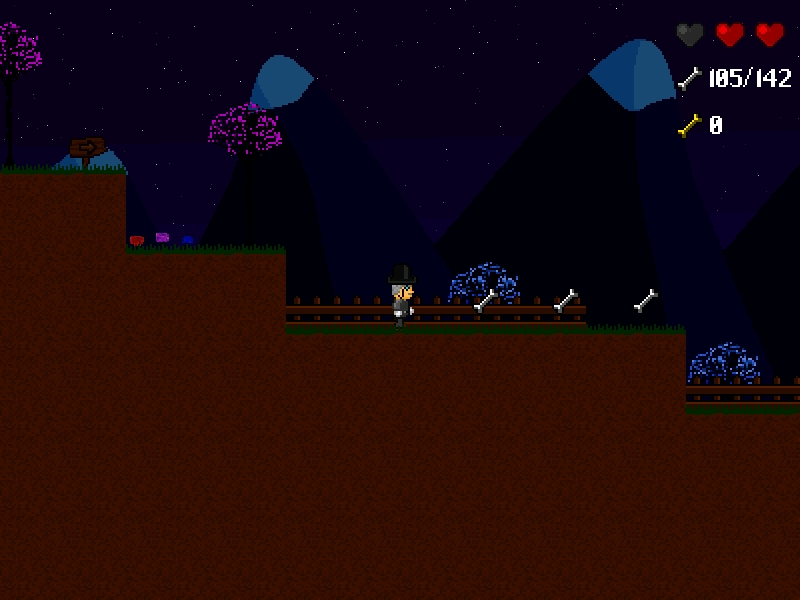
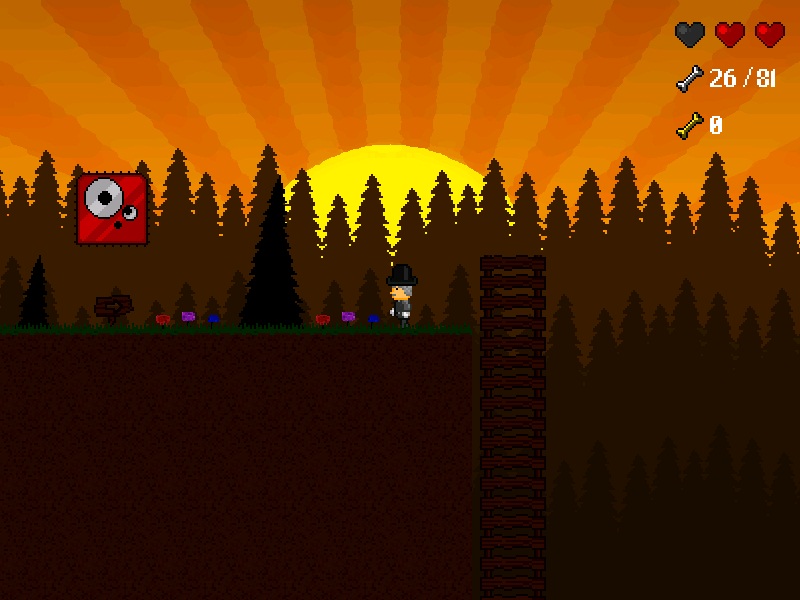
A Man With a Monocle is an adventure/platform game developed by Neogen2 Creations for the PC. Follow Henry McAllister in your quest to discover the mysteries behind the Monocle and your ghost friend, Kain, while you go through many different and fascinating locations.
A Man With a Monocle is a story-based but at the same time old-school platformer, featuring over 55 levels coupled with countless challenges to overcome, alternative passages and many hidden secrets waiting to be discovered. In addition to the story mode, there are many unlockables such as another playable character and new game modes and levels. You can even create your own levels and campaigns, using Level Editor released with the game and play your own and other people's work.
System Requirements:
TBC
Publisher:
Xing InteractiveHomepage:
http://amanwithamonocle.neogen2.com/File Size:
15.3 MB
Price:
$9.99
GIVEAWAY download basket


Comments on A Man With a Monocle
Please add a comment explaining the reason behind your vote.
iPhone app giveaways »





Android app giveaways »





Hey everyone !
I'm one of the developers of the game, more exactly the programmer and designer.
I have to be very grateful to all of you for all the suggestions and criticism you gave here, this is specially useful given the fact that we're working on a massive new patch for the game in order to address most complaints, if not all of them.
Until we release the patch with the in game help menus, you can check out the manual as it contains a lot of useful information, namely keys and instructions on how to use the level editor.
I'm really glad people enjoyed the game, after all that's the main reason why we make games. :)
Thanks once again for all the suggestions and constructive criticism, I hope the next patch matches your expectations. :)
-Mike
Save | Cancel
"I don’t suppose you’ve discovered how to save a custom made level."
Yes: RTFM! It's slightly cryptic, but to quote the manual.pdf file [parts in square brackets added by myself!]:
"Use one of the templates in the “CustomCampaign” folder and copy and paste it [into the “CustomCampaign” folder], renaming it [the copy of the Template folder] “temp”. The editor will always edit that “temp” level."
and:
"The Level Editor saves automatically when you exit [into the same “CustomCampaign\temp” folder]."
You then need to rename your temp folder as (e.g.) level1 (or level2, level3, whatever).
Finally , and again to quote the manual:
"You can edit the parameters for your campaign by opening the file “CampaignParameters.ini” in the “CustomCampaign” folder. There are only two numbers [in this file]. The first one is amount of lives the player is allowed (Max is 3), the second one is the number of levels for this campaign (Max is 60). Example: If you made [make] 5 levels and want the player to have only 2 lives, the file must be exactly as “2 5” [i.e. the file should contain the numbers 2 and 5, separated by a space]."
I've tried this, and it works a treat! When you have played all your Custom Campaign levels (I confess I've only tried one level), you get a 'Campaign Complete' screen. Use the gamepad 1 button (assuming you use a gamepad) to exit back to the menu again.
WARNING: Starting a Custom Campaign WILL 'lose the place' of your 'standard Story' game, so I'd advise copying/backing up the ENTIRE AMWAM folder to another location, so you CAN then restore it and RESUME your 'standard Story' game. I suspect that the same is true of the Iron Monocle and Charles's Story modes, but I'm unlikely to finish the standard game for a LONG time, so I can't say for sure.
(For comparison: I never ever managed to get past about level six of Doom I, even with ALL the cheats on!)
Very happy to help, Stephen. Documentation is what I do!
...............................Moderator comment.................
Thanks Cad. Have a great week. :), now I'm off to bed. (it's nearly 4am here in theUK.
Save | Cancel
OK, more about the Level Editor.
The right-click works well, BUT selecting individual objects at that point is very tricky because the mouse move needed is very sensitive.
WELL worth reading (or printing out?) manual.pdf to find out ALL the Level Editor keys, like F7/F8 to toggle between the six tile sets, or F9/F10 to select music, or Q (HOLD DOWN while click to place a 'no collision' wall).
I had hoped that a stop-gap answer to the need for an 'End Is Nigh' sign (on custom levels, anyway) might be to provide a custom message. However, my inital hacking didn't work: it seems that the messages are hard-coded in the game's EXE file (RATS!).
I assume you've already worked out that Music can be changed by exchanging the five OGG files in the music folder for ones of your choice. Ditto, for sound effects, change the wav files in the sfx folder.
Hope that's of interest to you. :)
.............................Moderator Comment.....................
Thanks for the time and effort you've obviouly put into this. I don't suppose you've discovered how to save a custom made level. I gave up on it, though I have posted over on the developers forums asking for extra info. :)
W.R.
Save | Cancel
Just briefly: tried it, LOVE IT.
Definitely on the 'difficult and challenging' side for me personally (this is at normal/easiest level). Works well with gamepad, once you work out that button 3 is Jump and button 1 is exit to menu.
Agree totally about the lack of 'end is nigh' signs and the lack of 'you have a key' indicators.
Haven't tried the level editor with my Marble Mouse yet: will elt you know!
..............................Moderator comment.................
I know what you mean Cad, here's what I posted in the forums:
Save | Cancel
I used the keyboard option to control the sprite, and the game responded pretty well. People who've played videogames in the 1980s (or even the late 1970s) will enjoy this giveaway more than others. Repetition of a level will help in anticipating the challenges that lay ahead. The game also lends itself to multitasking within Windows. Think of today's game as Abandonware for 2010 — but with graphics that are intentionally made to look "retro".
Save | Cancel
It's a decent platformer with a seemingly good story, bogged down by the following problems. I suggest the developer fix these issues, as they are making it rather hard to recommend this game to others.
-Levels either need a clear end marked to them, or you need a way for the player to go back and play levels they have finished. It's rather frustrating to miss 1 bone and then have to start a new game just to try again because some of the bones are very close to the "level end" zones.
-A mid level checkpoint would be welcome, if you intend to keep the unlimited "lives" in the game. I died near the end of a level, and it was tedious walking over the areas I had already cleared of bones and killed all the enemies in just to find the level only had a couple screens to go. Even just one, placed midway through the level, that respawned you there if you lost all your health instead of at the beginning of the level would make the game much more playable.
-Let the player skip the story intro level the second time they see it. There is no need for that level after seeing it once, since there are no bones to collect, and having to sit through that intro a second time makes the player not feel like starting a new game.
-Better tutorials. I did not know without randomly pressing keys that I could Jump with X, nor did the game ever tell me I can run using Z. The ladder explanation also comes after falling down the first two in the first area.
Perhaps simply redesign the area after the player agrees to help the ghost into a "tutorial" of sorts. Make areas that the player has to learn to Jump, run and jump, climb a ladder upwards, use a key, and so on instead of just dropping them down. Doing this would also let you jump into the more complex stuff sooner, as the first couple of bone collecting levels are a bit bland and unchallenging. Waiting 2 full levels just to introduce enemies is a bit of a long wait.
It also would be better if when you told them about "indestructable enemies", you had one of the indestructable enemies next. Right now the tip comes up in the middle of a cave, and then the next enemies are in fact totally killable. Basically, the game is a bit bad at telling the player about new things as they are introduced, instead of randomly during play.
-collecting a key showed no visual cue that it was collected. A simple icon on the HUD would do wonders for letting me know I hit the key. It's very easy to "collect" the keys without seeing them, and someone who does that may be "stuck" looking for it without knowing they found it already. This happened myself a couple of times during play on the later stages.
-The controls need to be listed under the option menu's "Keyboard 1/2" settings. Without the manual, I would have no idea why Keyboard 2 is selected, or what it means.
-You might want some indication that a pit is bottomless or not. A warning sign by the edge of every bottomless pit would be very helpful. It would be ok if EVERY pit was bottomless, but you put some secrets and even areas with keys in some of them, so I am having to jump down every single pit in the game just to make sure I don't miss anything.
If you put a "bottomless pit" sign or a warning sign, be consistant and never lie to the player(so if there is a pit they must go down or that has a secret at the bottom, never put the warning signs.) Many of the good old platform games use either consistant design or such "death warning signs" to help the player decide if a pit is fatal or not. Right now, this one doesn't do either, leaving me constantly in question if you intend for me to do a leap of faith or just cross the pit normally to continue on in the levels. It basically feels way too much up to luck right now if a pit is bottomless or if it has platforms in it.
I hope these comments help you improve the game. It has lots of potential, but these problems are going to make a lot of players look somewhere else for their platform game action. :/
Save | Cancel
For number 22 called Flamer
Try this website and download this program called Revo Uninstaller.
It will uninstall any software if the software has a uninstaller program and it will also clean the registry if you tell it to of anything the software leaves behind.
http://www.revouninstaller.com/
there is a free version and a pay for pro version.
Hope this post helps you and anyone else interested in an uninstaller.
Save | Cancel
The end of each level should be marked, so the player gets the chance to collect all remaining bones.
And it should be possible to cancel the intro.
...........................Moderator comment.........................
I agree, both of these issues plus the lack of a help file that's accessible in game really spoils this game.
Save | Cancel
Very good intentions, but the game still has to be polished.
The enemies sometimes hit you before expected; I changed the controller to Gamepad, and tough luck, as my Gamepad (Xbox360 USB controller,it shouldn't scroll so fast through the options!!) was not responding accurately. I was able to exit the controller screen, and then you cannot use the keyboard to change back the controller type. So it was a pain in the ass to change it again.
Thanks for the free trial, keep on trying!
......................Moderator comment.....................
Thanks for the info about the gamepad option. :)
Save | Cancel
What about http://www.freegamepick.com and gameswagon.com are they also OK? I know that freeridegame.com is not clean (malwares I suppose) as My Wot gave it a red circle for dangerous website.
By the way, I love match-3 games. But I prefer management or the Dash game series even better. My daughter is crazy about 3D games. She would be delighted to see one here some day!
Regards,
Sandra
..........................Moderator comment..............................
Hi Sandra, I've not used Freegamepick for some time as they have become much more aggressive with respect to hijacking home pages and installing toolbars. some games are still okay to install, but tey seem to have gone the way MyPlayCity used to be. that is not being able to play the games unless you allow toolbars to be installed. not for me. Besides, they rarely get new games compared to MyPlayCity and to a lesser extend Gametop. As fpor Gameswagon, I've never used them. Most of the games from all of these free sites tend to be the same ones, with name changes to some of them. It's rare to get something different on any of them apart from MyPlayCity.
Save | Cancel
I really like this game. Old style graphics like this are charming to me...possibly my age; reminds me of alot of my old games from years ago.
Biggest complaint is a lack of control key instruction at the beginning of the game. I read above before starting. I like the spacebar for jumping but the default on my game is the X. I tried a few keys before figuring that out.
I like that you start the level over with your lives if you die. What I think is missing is letting us know if there are bones below a drop or not. I jump into the abyss to find bones and sometimes I just die and have to start over. There is no way to tell.
........................Moderator comment........................
That's a good point. Hopefully the developer will read these comments. I've posted most of the suggestions that I've mentioned over on the A Man with a Monocle forums. whether or not the developer will bother is another question. He doesn't seem to have bothered making an appearance here. I'd have though he would have been interested. ah well, 'Cest la Vie'
Save | Cancel
Trying to install on Win Vista Home Basic:
Said it was installed to c/games, but had to do an advanced search to find it.
Would not open, gave me an error message to try and install again.
Does not show up on program list, so I'm puzzled as to how to uninstall and try again.
All the readme file says is to follow the setup which automatically installs to c/games, no further instructions.
I'm disappointed, I love platformers and thought this one might be fun.
................................Moderator comment...........................
Hi Sandy, sorry for the delay in replying. Most of the game giveaways do not install shortcuts to the desktop or Start menu nor do they install uninstallers for some reason. If you want an uninstaller you could try installingg the demo first, which is available from the developers web site. See the link in my review that takes you to the forums or the reference to the introduction. Once installed (to C:\Games find the demo folder and change the name to 'A Man with a monocle (you just need to delete the demo from the title), then install the game giveaway version to the same path (it's defaulted to C:\games anyway). When it overwrites the demo files it should leave the uninstaller behind. You should then be able to use the uninstaller portion of the shortcut that has been installed to the Start menu programs list. You can't use the demo shortcut for the game though as that points to the demo, unless you know how to edit the path that the shortcut points to. Once installed go to C:\Games and look for the installed folder. The above isn't guaranteed to work, but if you are bothered about an uninstaller it is worth the effort just in case it does work.
If you continue to get any error messages I would reboot yuor modem and/or router and also clear out your internet cache to clear out the cookies; (hopefully this will clear the error message).
If you still fail to get the game installed i'd try for one of the 540 games that are freely available from Caimans or one of the abandonware sites I linked to above. The one i edited in has several pages of abandionware platform games, all of which used to be commercial games. some you may need to use DOSBox, which is free. check the game discussion forums for a tutorial on how to set it up. It's well worth exploribng the aandonware games. There are loads of classic games, many of which are IMO better than todays offering. You'll also find some fabulous ones at Caimans. Also try Azangara which you can get for free from MyPlayCity (also known as Dungeon Raider over at Gametop). I've linked to all of tose sites at the end of my review (see post #1)
Save | Cancel
I've seen comments about how to uninstall this, including a manual way. If it came down to this, how would I do that? I know I could just delete C:/Games, but are there any registry entries I should worry about?
..........................Moderator comment...........................
Hi Flamer,
There should be no worries regarding registry entries concerning todays game giveaway. I counted 15 enties and four of them were referencing the levels editor and eight were referencing the documents that I'd created while writing the review. The rest referred to the demo that I installed yesterday. If you are concerned about clgging up your registry, these are only a miniscule number compred to the number that are written to the registry everytime you turn on a program or do some other thing on your computer. Besides, if you are concerned they are easy enough to delete using the registry editor (type regedit in the run command then go to the find command in the Edit menu and type in the full title of the game. For any stray entries you could also type in Neogen2 (the name of the developer). As always when deleting things from the registry, create a restore point forst just to be on the safe side. (Though I've never accidently deleted something that I shouldn't)
sorry it's taken so long to reply; I needed to take a nap.
Save | Cancel
Well, not having downloaded this yet to try it myself, the words 'Manic Miner' and 'Jet Set Willy' spring to mind! I'm pretty sure I'll try it (thank GOD it's NOT another match-3 game this week!!!).
But my one concern is Stephen's comment that the only way to scroll through 'pieces' in the level editor is with a mouse wheel. Not much use if you use a trackball*, as I do. Anything that FORCES you to use a mouse wheel isn't a good idea: many people have HIDs that don't have a 'wheel' or any equivalent.
(* a Logitech Marble Mouse, which I use to prevent RSI; and because it's much more comfortable to use than yanking a mouse around.)
............................Moderator comment......................
Hi Cad, you don't have to use the mouse wheel. You can also right click and move up or down to will scroll through the various tiles. I've not used a trackball since I went on a functional restoration program three years ago and can't remember how it connects. I would expect the connections for the trackball to mirror the mouse, so moving the trackball in a forward movement should scroll through the different tiles that are available.
You'll haver to report your experiences using the trackball on this game. :)
Save | Cancel
I really like this! It reminds me of all the games I played years ago. My stomach can't handle all the current 3D stuff, so it was nice to see something like this again. Having been warned about there being no instructions, I read before I started, but it still would have been nice to know that it's only the left shift key that lets you jump. The shift key on the right doesn't do anything.
Save | Cancel
Not for me but thanks anyway. Appreciate even the misses.
Ok on Win 7 x32 Ulitmate. Throws up a box after install as usual that says didn't install ok but just close that & is ok.
The only play key I got was the X key to jump. And ESC for help.
Didn't mess with options since the dark setting wasn't a grabber.
He did seem to capture his 'homemade' Old School look but whole thing just wasn't there for me. Plus reading reviews & Mod's replies insured it wasn't worth trying to figure out how to find a ladder down in first level pits.
Thanks again. Future ones will offer betterness.
Save | Cancel
A comment for the developer about passing the end of a level without knowing about it.
Idea from Mr. Rabbit's comments posted on game.
How about a signpost that says The End Is Near.
Possibly within 10 to 20 steps from the end of the level.
So that you have enough warning to turn around and go back before going too far.
Also adding my thanks to Mr.Rabbit.
.......................Moderator commet........................
Thanks Marky
Save | Cancel
I couldn't agree more, M the Alien. I remember the days before WR and they were rather hit or miss. As a long time visitor to the Giveaway sites, I have learned that there are a couple of regular visitors/commentators that people should always listen to. WR has not earned the nickname "Games Guru" for nothing!
As for the speed of the comments passing moderation, please remember that this is a 24 hour long giveaway. I don't know about everyone else, but I know that I need to sleep sometimes. I am sure that it is the same for WR. Please have patience.
Now to try the program as WR's review has piqued my interest.
..........................Moderator comment.....................
Thankyou Frique, as said earlier to another community member, comments like yours are what makes it worth doing :)
Save | Cancel
It's extremely easy to fall off the small platforms when you jump. Key controls seem to be extremely sensitive, so when you try to move over for the next jump you end up falling off. Otherwise, with the above mentioned improvements it could be a good game for younger children. It reminds me a lot of Turtle Odessey (without the nicer graphics) and my grandkids love all of those games. Thx for all your hard work. I have enjoyed downloading and playing your games for years and most of them are really good ones. People seem to forget they are free. They are NOT going to get WII quality games for free.
Save | Cancel
I don't think i'll try this one, but some of the company's other games sound interesting so i might try one of those. Thanks ggaotd!
Whiterabbit,
Thank you for all of your work here on this site. Before you were a regular moderator here i would wait until your review showed up in the comments section and would base whether or not i downloaded the freebie on what you had said. You really are doing an awesome job and i really appreciate your opinions! With that being said, people visiting the site need to realize that before Whiterabbit came along there was basically 0 communication to the users on this site, no offense to the people running things. The fact that almost every comment posted has a reply is awesome. If you used to come to this site before Whiterabbit started moderating, then you know exactly what i'm talking about. People also need to realize that it's a privilege to have this site here, so be nice! ;) Whiterabbit's the man. This site is awesome. I'm going to play some Fishdom, thanks again ggaotd. Have a great day!
....................Moderator Comment.............
Thanks M the Alien, it's community members like you that make the time I spend writing reviews and moderating worthwhile. Thank you for your kind words. :)
Save | Cancel
Great game...works fine in my win7 ultimate 32 bit!:-) @ mod.... Where i can download some nice and cool freeware games? Plz sir,dont suggest me myplaycity,freegamepick or these kind of browser redirected sites! Lol..........:-D thanx.
........................Moderator comment.................
Although MyPlayCity and Gametop games open your browser and direct it to their home pages it's entirely innocuous and a small price to pay for what are commercial games, some of which are premium games. Nothing untowards happens to your computer when these games are installed, though you have to watch out for toolbars being installed or your home page being redirected during installation. These are easily remidied by unchecking the tick boxes during the installation wizzard. :)
Save | Cancel
Installed and ran fine on Win7 x64.
I really enjoyed this - it's simplistic, but relaxing and undemanding. As others have mentioned, the complete lack of any instructions for the controls is a pretty poor oversight (thanks whiterabbit for including them in your review!)
The collision detection seems to be a bit iffy - the various enemies sometimes appeared to register 'hits' before actually touching them, but once it had happened a few times I got used to it.
Regarding the immediate "segue" to the next level, this was fairly standard in platformers of yore (I certainly remember it) - you just have to pay attention to when the screen stops scrolling to the right (and to your bones total, which will probably be near completion by this time).
......................Moderator comment.................
True. :)
Save | Cancel
It installed for me on win7 x64 with no problems. When you change to windowed mode it doesn't make the change until you exit the game and restart it. To me, at least, it's unacceptable that there are no instructions to the game in the manual.pdf, or at least I haven't been able to find them. So if it weren't for WR's comments I would never have been able to get the game started since there's no explanation of the enter, x, space, etc. keys and how they are used. I've played through the first level and it doesn't seem even average, but I'll try some more during the coming week to see if it's worth keeping.
Save | Cancel
The intro takes a while and there doesn't seem to be a way to skip it.
Overall it appears to be very generic and there's much better games of this sort for those who want to play them. There's many old games from the 90s will similar gameplay and much better graphics.
............................Moderator comment...................
Yes I agree. Many of those 90's games can now be downloaded for free via the many abandonware sites that have popped up over the past decade. Check out the links in the above comment #1 (at the bottom of the review), plus theres 580 freeware platform games available just from Caimans, some of which are brilliant.
Save | Cancel
Old school but terrible gameplay. This could become nice with some improvements like help screen.
Save | Cancel
@ moderator
I try to moderate as often as possible
Everything will be held up, so a quick answer to a problem is impossible.
A few weeks ago i placed a simple solution for installation; because of the moderation, it took 8 hours to display. Therefore a lot of people didn't try the software.
Now the game of today: installation quite simple, doesn't work properly. Every time the mouse is moved, the focus of Win7-64 goes to the mouse and will leave the game. So the game cannot be played.
When lucky and the game will start, you have to wait a loooong time to begin playing. First there is a demo, but this game is like so many other game's: it doesn't have to be explained.
The mouse doesn't work in this game. Everything goes by keyboard.
Ootje
...........................Moderator Comment.........................
On that occasion I'd had to travel to Oxford for a consultation re my broken back on the Friday so was exhausted. Consequently moderation suffered over that particular weekend,and is not representative of moderation normally. The game can also be played using a game pad.
Save | Cancel
What a load of rubbish.Sinclair Spectrum quality not even worth it as a FREEBIE
............................moderator comment...........................
The games graphic is much more advanced than any Sinclair Spectrum, but yeah it is rather retro. Have you any other reasons why you think the game is rubbish apart from the graphics. (State of the art Graphics don't necessarily mean a game is Good as does a poor graphic mean the game is rubbish. Did you actually play through some levels?
I do agree that the game isn't very memorable (apart from the name of the game), but it does have some game play value. not the best by far, but not the worst either. Bang on average in my experience of playing platformers over the past 35 years. Have you any suggestions as to how this game could be improved? Thanks
Save | Cancel
Won't install for me either - uninstalled and tried again - no go :(
............................Moderator comment.....................
What platform are you installing it to? Also have you updated your graphics drivers recently? If your hard drive hasn't been defragged in some time and you are installing and removing programs frequently the hard drive can become badly defragmented, which can lead to read write errors; (just a thought).
Are you getting any error messages when you try to install?
If you really want a platform game for this weekend and still can't get the game to work try one of the hundreds of freeware platform games available from Caimans or quite a few from MyPlayCity or Gametop that are free commercial quality games, for example Turtix or even Mario. See the section under Alternatives in my review above (comment #1). :lol:
Save | Cancel
Interesting how my negative comments disappeared........
Did you only want good comments?
The game didn't even show up in the list of the add/remove section. Had to find it in order to delete it from my computer.
Overall, needs a lot of improvements.
GL
.............................Moderator comment..........................
All comments are posted whether positive or negative. I'm sure the developer appreciates all comments whether negative or positive, so long as they have something useful to say. I'm the only regular moderator and I'm doing it voluntarily, so you can't expect me to be here for the next 48 hours continuously. I try to moderate as often as possible, but the opiate drugs I have to take means I often fall asleep (sometimes at the keyboard), so there are periods when no moderation takes place; however I do get to all comments within a few hours. The only comments that are removed are those that are innappropriate for this comments section, for example profanity and nonsensicle comments as well as spam (though most of that is already filtered out by akismet.
Save | Cancel
This is a terrible game. there's no instructions as to how to move around. Never figured out how to jump so got stuck and could not move at all.
Also, I set it for No full screen but got a full screen anyway.
No way to get out of the game. Some times using alt tab would take me back another time I had to ctrl alt del and then highlight the program and stop the game that way.
Sorry too many bugs...............
GL
......................................Moderator comment....................
The instructions are in the games read me, plus there were instructions in the above review.; that said, I agree, there should be a help button in the main menu that details the controls, and maybe even a hints button that is activated when the character passes specific points in the game, but can also be disabled for the more advanced user.
Save | Cancel
Overall is was pretty nice though there were some rather annoyances. When you reach the end of a level and there happens to be bones you're trying to collect and you move too close to the right it begins loading the next level. For some reason it made my computer all laggy and it was using up 100% of my CPU.
It would be nice to put what the controls are for "keyboard 1" and "keyboard 2" are in the options menu rather than the instruction manual.
......................................Moderator Comment...........................
That's a good point; when I was playing the demo last night i'd not collected all of the bones to get my golden bone and ran against the furthest right edge of the level and was transported to the next level, with no option to return to the first level to complete my collection of bones. Looks like this could be a problem with respect to unlocking new modes.
Save | Cancel
This looks Sinclair ZX81 level
......................................Moderator Comment...........................
It's not quite that retro, but yeah it does look old school, which is how the developer introduces the game.
Save | Cancel
This will not install.
[quote]
This application has failed to start because the application configuration is incorrect. Reinstalling the application may fix this problem.
[/quote]
Reinstalling does not work. I give up. Thanks anyway.
............................Moderator comment.....................
What platform are you installing t? also have you updated your graphics drivers recently? If your hard drive hasn't been defragged in some time and you are installing and removing programs frequently the hard drive can become badly defragmented, which can lead to read write errors. (Just a though).
Save | Cancel
A Man with a Monocle:
Introduction:Installation:
A Man with a Monocle downloads to a 15.3Mb zip file that unpacks to a read me with terms and conditions and a dual setup and activation module. Once installed the file size is 24.7Mb. The default installation location is as follows:
C:\Games\A Man With a Monocle (for all operating systems)
There are no shortcuts installed so you'll have to create your own. If you want a shortcut in the Start Menu/Program folder you're not sure how to create a shortcut in the start menu/programs folder you can find a short tutorial in the game discussion forums that tells you how to create one. The game works on Win 7 Pro and Ultimate 64 bit and XP Pro 32 bit. Not tested it on my Vista platforms yet. (Will do so later)
A Man With a Monocle is an adventure/platform game developed by Neogen2 Creations for the PC.
Follow Henry McAllister in your quest to discover the mysteries behind the Monocle and your ghost friend, Kain, while you go through many different and fascinating locations.
A Man With a Monocle is a story-based but at the same time old-school platformer, featuring over 55 levels coupled with countless challenges to overcome, alternative passages and many hidden secrets waiting to be discovered.
In addition to the story mode, there are many un-lockables such as another playable character and new game modes and levels. You can even create your own levels and campaigns, using the Level Editor released with the game and play your own and other people's work.
reference: accessed HERE on 19th November 2010
The Game:
The main menu is navigated by the arrow keys. To select from the various choices in the main menu use the up and down arrow keys. To toggle between full screen and windowed mode use the left and right arrow keys. Selections are automatically saved. The main game is the story mode with other modes available; The Custom Campaign mode is open at the start of the game but Iron monocle and Charles's Story are closed. To open these you need to earn an unspecified number of golden bones.
Once you’ve selected Story mode you can select your difficulty from Normal, Hard and Hardcore. At the start of the game you have to watch the story unfold, which can take a few minutes. There seems to be no way of avoiding the story. As each dialogue finished you can proceed to the next one by pressing enter. Once the game starts proper you have to collect bones. Each level has a specific number to collect. Once you’ve collected the correct amount you are awarded a golden bone which will replenish your life as well as go towards unlocking new game modes (beware the end of each level as you can be transported to the next level with no chance of returning to complete your collection of bones). Apart from the first level, levels are inhabited by various enemies (10) that you must avoid or kill by jumping on top of them. If you touch any of these enemies (apart from jumping on them) you will lose a life. You can also lose lives by falling to your deathespecially when walking on unstable ground that collapses under you after a few seconds. You can pick up new lives occasionally as power ups and there are jumping platforms that enable you to make extra long jumps. You'll also find locked doors of various colors (violet, blue, green and brown) that require the same colored key to open them. The maximum number of lives you can have is three. Once you lose a life you restart the game, but your bone collection remains intact (which rather defeats the object of having lives in the first place IMO). To the top right of the playing arena you can see how many lives you have plus the number of white bones you’ve collected and the number you require to complete that level. There’s also an indicator telling you how many golden bones you’ve collected.
Look for for secret areas; these are usually signposted discreetly, and seemigly point to nowhere, but you'll find you can walk through what look like blind endings to secret comparments.
The game includes a levels editor which enables you to create your own levels. The different layers such as Main layer, background layer and objects layer are selected by clicking on 1,2 and 3 respectively. Each section has a collection of blocks. To select a new block such as grass, no collision walls or flowers use the mouse wheel to scroll through the various blocks you can use. You can also select blocks by right clicking anywhere on the playing area and then move your mouse up and down to scroll through the various blocks. To place a block use the left mouse button. to erase a block use shift and left mouse button. The developer has created a section in the forums specifically for you to upload your creations so that you can share them with others. At the moment there are no custom made levels uploaded, but hopefully with the number of giveaway community members downloading this game we shall soon see some downloads, all of which are free. I’ve posted a link to the developer’s forums below.
If you find the music annoying you can change it by replacing the .ogg files (5) found in C:\Games\A Man with a Monocle\Music\. You'll need to convert your MP3's/WMA files to ogg and rename them to the files you are replacing. As a precaution I'd back up the original sounds, but if you don't and a problem does arise you can always download the demo from the developers site; though be sure not to install the demo over the full version.
If you have any problems running the game please post in the developers forums which I've linked to below. You will need to create an account. I will be posting this review in the giveaway forums later so you can always post problem there as well. :)
Control Schemes and keys:
Keyboard 1:
Shift - jump
CTRL – Run
Arrow keys – Movement
Up /Down arrows – Climb ladders
Keyboard 2 (default)
X - jump
Z - run
Arrow keys – Movement
Up /Down arrows – Climb ladders
N.B.
If a character is talking to you, you can speed up the text with the Run key and to skip the text press the Jump key.
Gamepad -:
Controls - Varies from gamepad to gamepad.
Level Editor:
Left Mouse Button - places a tile
Shift + Left Mouse button - removes a tile
1 - selects main layer blocks
2 - selects background layer blocks
3 - selects objects
Mousewheel - Scrolls through tile selection
F1 to F3 - Removes specific layers can toggle back
Moving Platform
Features:
• A unique and unpredictable story
• Old-school platforming action
• Travel across many different and fascinating locations
• Over 55 levels full of secrets and hidden passages to discover
• Un-lockable game modes and a new playable character.
• Create and play new campaigns for the game
• Soundtrack written exclusively by Swedish composer Johan Hargne
• And much more !
Images:
You can see about 30 images as a slideshow HERE
A Man with a Monocle Forums:
You can find comments and a place to post bugs and other issues as well as making suggestions to improve the game via the Developers forums. It only take a few moments to register and then post your comments, so please if you do have any suggestions please take the time to post in the developers forums. Who knows, we may get a much improved game if enough community members take the time to post their ideas and bug reports. Thanks.
Alternatively you can post comments, suggestions and bug reports over in the game discussion forums [url=http://www.giveawayoftheday.com/forums/topic/8876#post-85507][b]HERE[/b][/url]. I've placed a return link in the forums to make it easier to return to this comments section.
What other reviewers are saying:
• "One of the best stories I've ever seen in a indie game"- GamerGround (8/10)
• "It's more of a steal than a deal, and should be snagged up immediately" -HarryBalls.com (4.5/5)
• "AMWAM has a lot to offer to fans of the tried and true side-scrolling platformer" - IndieGameReviewer (3.5/5)
Conclusion:
The game is reasonably well made apart from poor instructions on how to play the game or use the levels editor. There are lots of challenges, secrets and a couple of modes (which unfortunately I wasn’t able to test as the demo I used to write up the review last night doesn’t have access to them). The graphics are retro 90’s style which may put some off, but I would recommend downloading the game and checking the game play out for yourselves as this is one of those games I think you'll either love or hate. As platformers go this is about average IMO; however, I’m not the best person to ask as I expect something very different from the usual run of the mill platformers (hmmm, what’s normal about platformers, lol) before I get interested in playing one. I'm not overly enamoured of platform games anyway unless they have something very special about them, for example Gish, Wik & the Fable of Souls, Trine, Aquaria, The Undergarden, Doc Clock: The Toasted Sandwich of Time and Gumboy Crazy Adventures (to name just a few that I like).
A saving grace for this game is the inclusion of a levels editor and the ability to share them with other owners of the game via the developer’s web site, however I couldn't figure out how to save the level I created, (well edited as you get a preformed level when you start the level editor and have to edit the various tiles that are available..
Despite this I don’t think the game is worth more than six out of ten when compared to the other platformers that I’ve mentioned above because I found the game play just bordering on average for a platform game.
I found that automatically being transported to the next level when you ran up against the end of the level annoying when I'd not completed collecting the required number of bones to win a golden bone, I don't remember there being any warning that it was the end. You require golden bones to regenerate your health and help you open up new modes; which isn't possible if you are transported to the next level before completing the quest to find the right number of white bones. It's definitely a problem that needs addressing (IMO); maybe by placing a sign at the end of the level that says something like ‘Point of No Return' or 'To the Next Level'; that would enable players to turn back to collect more bones if needed, though it's not possible to return all the way to the beginning because some areas are blocked simply because of the way the levels are designed.
I'd also consider adding a levels map so that you can see your progress and make it so that you are allowed to replay any previous levels. There is no access to the levels editor via the main menu; to access it at present you have to create a second shortcut; which needs to be added to the main menu. Also a help menu would be great. In it you could explain the basic game play and instructions on how to use the levels editor as well as explaining how to upload the levels to your ftp and how to incorporate other player’s custom made levels into the game; (not everyone knows how to do this).
The storyline at the beginning of the game needs to be shortened by placing all the dialogue onto one page rather than trying to give an appearance of a conversation. It wouldn’t be a problem if you were able to skip the dialogue, but that isn't possible at present.
For me something’s missing from the game. The basic game play is there, but there's nothing special about the game that would distinguish itself from the countless other platformers that are available either as commercial or freeware alternatives. You need to add something extra special that will make this game stand out. The name is definitely unusual and implies a different sort of platformer, but IMO it doesn't deliver on that impression. I'd also consider lowering the price to $5. You can get some excellent games from places like Big Fish and Gamehouse for less than the price you are asking, and there are hundreds of freeware platformers some of which are ‘much’ better than this game (check out the link to Caimans Games).
Alternatives:
There are several decent platformers available from the arcade section of MyPlayCity invcluding a new Turtix adventure called Turtix: Rescue Adventures:
MyPlayCity
Also more commercial quality platform games are available at Gametop; (there’s no specific section for platformers so check under arcade and puzzle games). Finally you’ll find 540 freeware platform games over at Caiman Games, some of which are excellent and of a very high standard. You can also get older platform games from many of the abandonware sites such as Abandonia, GamesWin and The Game Archives (just a selection of the growing number of Abandonware sites. A lot of the games from these sites do require DOSBox to work. You can find a short tutorial on how to set up DOSBox in the game discussion forums.
Edit:
Here's an additional Abandonware site that lists loads of Old School Platform games
Save | Cancel